OpenAI launched dots on September 29, and the headline wrote itself. Dots are "always-on agents" powered by GPT-6 Astra. They "have their own cloud computer," and they "can work towards your goals 24/7." An AI that keeps working after you log off.
I read the launch post twice, and the line I keep coming back to is a different one: "You always stay in control. Set boundaries and specify what your dot can do on its own, when it should ask first, and what it should never do." If you sign off on things for a living, that sentence is the product. So we built a 106-second film around it.
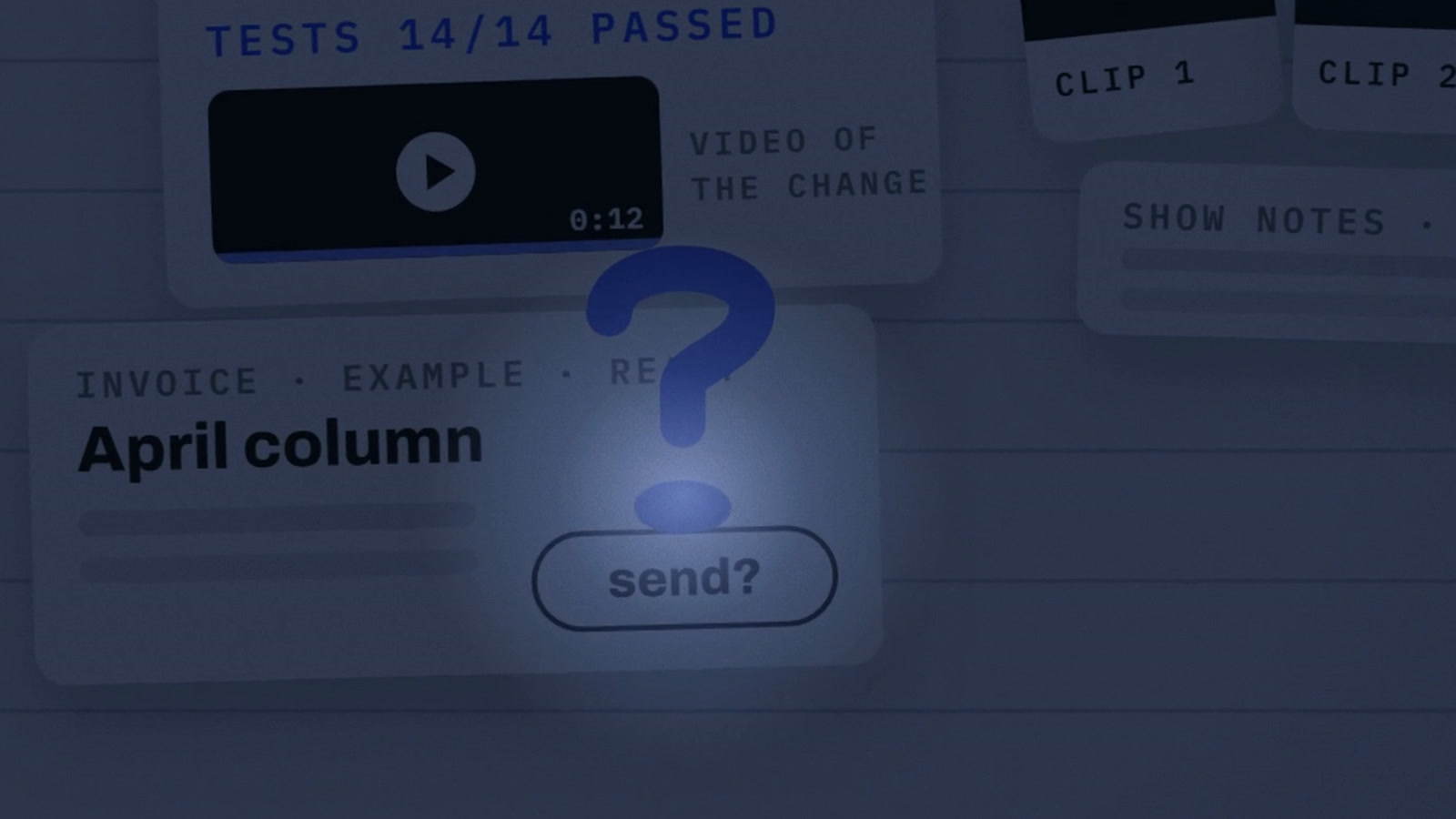
In the film, your dot is the full stop at the end of your to-do list, and its shape is its rulebook. A full stop means it does the job on its own. A question mark means it waits for your yes. The red margin of the page is the line it doesn't cross. You can watch it on this page, and there is a 57-second cut on YouTube Shorts. It's an unofficial explainer. We're not affiliated with OpenAI.
What a dot is
Each dot gets its own computer and its own browser, and it works through the apps you've connected. Through plugins, OpenAI says, a dot can "connect to over 4,000 apps." You can message or call it in ChatGPT on desktop, web and mobile, and message it in Slack and Teams. "You can open your dot's computer at any time to inspect its work." It also learns: "The more you work together, the more your dot learns your preferences, how you think, and what good looks like to you."
Four jobs, four answers
The examples OpenAI picked tell you how it wants dots used. For developers, a dot builds and tests fixes and "brings you complete PRs to review with attached videos showing the changes." For creators, it finds clips, prepares show notes and "drafts social posts for your approval." And for finance, the one I care about: "Your dot tracks product usage and revenue, flags changes, and refreshes your deck. With your go-ahead, it shares the latest numbers with your team." Every example ends the same way. The dot prepares the work, and you approve what goes out.
The full stop: what it does on its own
The work a dot does in the background, which OpenAI calls proactive research, runs on tools "restricted to be read-only, which means that they can't send messages, change app content, or control your browser or computer." The safety post adds one more line: "We enforce these limits in code."
So a dot reading your inbox overnight is allowed, but it can only read. In the film the dot carries a pen all night with the cap on, and the cap never comes off. If you've ever given an auditor read access to the ledger, you already know this pattern.
What the rulebook changes
It works while you sleep
Background research runs on read-only tools. It can't send, change content or control your computer.
The forgotten invoice
A tester's dot spotted an invoice he forgot, prepared it, and sent it only after his approval.
Careful can feel slow
An early user counted 3 yeses for one shuttle booking. OpenAI still says: review consequential work.
The question mark: what it asks first
OpenAI's best example is a small one. "An early tester's dot noticed he'd forgotten to invoice a publication, prepared the invoice, and sent it after his approval." The dot did the boring part, then it stopped and waited. Money works the same way. Dots "can make purchases using cards you've already saved," and "those purchases require your approval."
Custom Rules let you move jobs between the buckets: they "let you allow specific actions, require approval, or block them." OpenAI's own example is telling a dot never to send emails. A separate system called Auto-review then checks planned steps "against your instructions, Custom Rules, and safety requirements" before a dot sends an email or changes a file, and its controls sit outside what the dot can change.
The margin, and the trick question
The film's quiz has 4 jobs: read your inbox overnight, order dinner on your card, email people for you, change your password. The first three map to allow, ask and never. The fourth is the trick. "Certain sensitive tasks, such as changing a password, always stay with you." OpenAI's safety post puts moving money between accounts in the same group, as steps a dot must hand back to you. In the app that's a fourth setting, "hand off to you," next to the three OpenAI uses in its own framing. So the honest answer for the password is none of the three.
For a finance reader this is segregation of duties, built into a consumer product. The preparer and the approver are different people, and some actions never get delegated at all.
The honest part
Careful can feel slow. A Hacker News user who spent 2 hours with a dot graded the feature a B-. On a shuttle booking, the dot asked to confirm details, said it would book, filled in the form, and then "comes back and asks me if it should book it...so annoying." In the film we count that as 3 yeses for one booking. His dot also wouldn't fetch a two-factor code from email, and its rule checker rejected his broad Custom Rules. A review from eesel scored dots 3 out of 5, with 4.5 for safety design and 2.5 for day-to-day friction. Reuters reported that live demos at the keynote hit snags too.
OpenAI says it plainly in the launch post: "Dots can still make mistakes, so always review consequential work." I'd put that sentence on every approval screen.
Two more things are worth knowing before you connect anything. Disconnecting an app doesn't remove what the dot already learned, and you can't delete individual dot memories; a reset deletes the whole dot. You can also pause a dot at any time and follow its background work in Activity View.
Who gets one
Dots are rolling out to Pro and Business Premium, and "your first dot is included in your Pro or Business Premium plan at no extra cost." For now Pro excludes the European Economic Area, Switzerland and the UK. Business Premium covers all supported regions. Enterprise, Edu and Healthcare workspaces get a beta that an admin has to switch on. You set up a dot in the desktop app or on desktop web, then you can chat with it from your phone.
What we left out
There's no price in the film. OpenAI's own pages confirm that the first dot comes with the plan, and that's where we stopped. We also left out the idea of dots working together in teams, because it's a stated vision, not a feature you can use. Texting is only in a limited beta, so it isn't in the film either. Every claim here comes from OpenAI's launch post, its safety post, the Help Center and the ChatGPT dots page, plus reporting from Hacker News, eesel and Reuters. We checked them live on October 1 and 2.
The zoom out
Most AI launches so far have asked whether a model can do the work. Dots ask a different question: who gets to say yes? The defaults OpenAI shipped are careful. Reading is allowed at night, money needs your approval, and passwords come back to you. Users will push to loosen them, because 3 yeses for one shuttle is annoying. Before you do, write down which of your jobs are full stops, which are question marks, and which stay in the margin. Then give your dot its first job.
Write your own rulebook
- Full stops. List the jobs it can do on its own. Start with read-only work like summaries and inbox triage.
- Question marks. Anything that spends money, sends a message or changes a file waits for your yes.
- The margin. Name what it never does, and check the app's own hand-off list, passwords included.
Let it work all night. Keep the yes for yourself.
Dots ship with careful defaults: reading is allowed, money waits for you, passwords come back to you. Decide which of your jobs are full stops before the friction tempts you to loosen them.