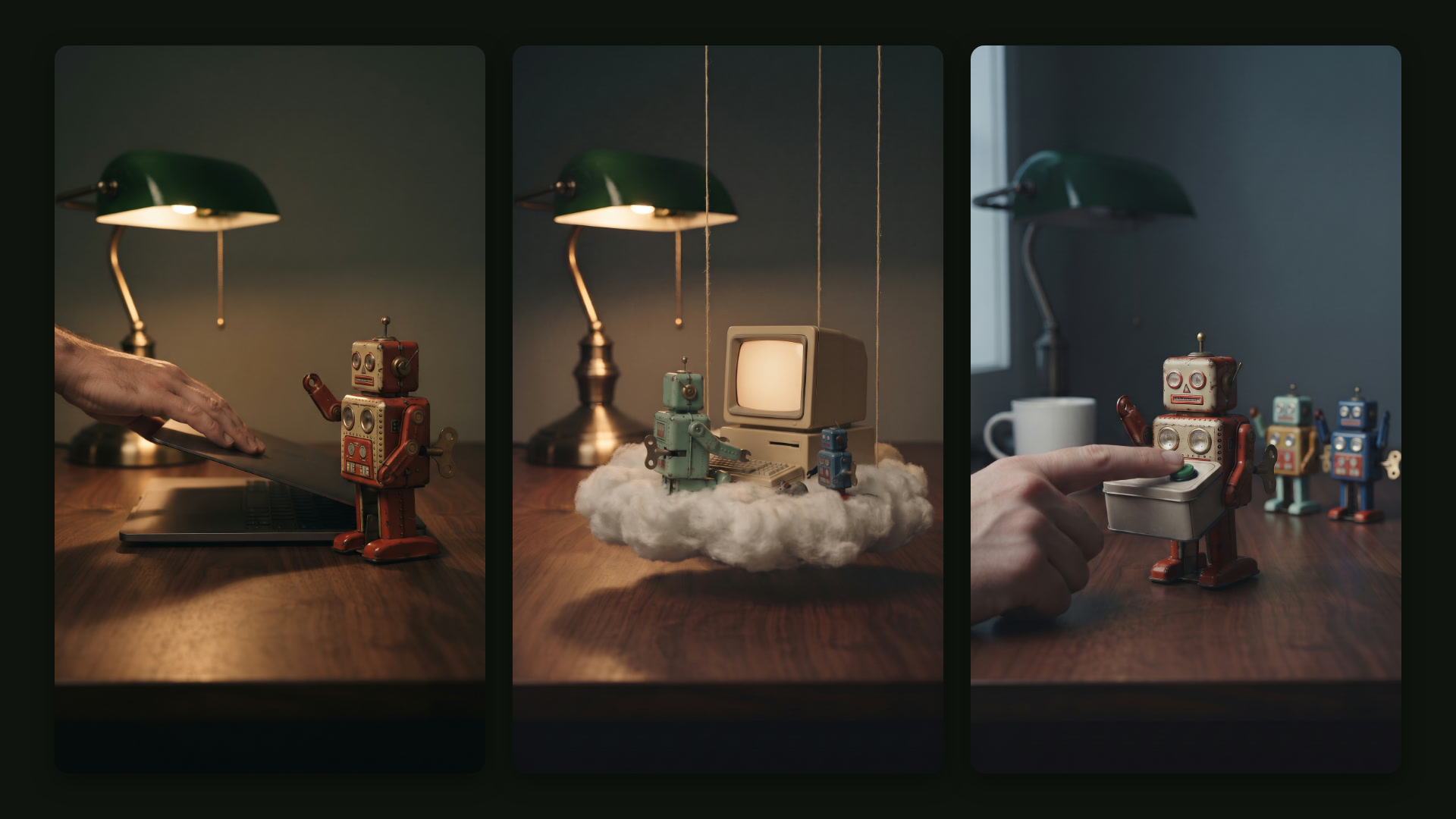
You close your laptop, and the work keeps going. That is the pitch behind Grok Bot, which launched in beta on August 11: a small team of AI workers that sign into your tools, run on a computer of their own and come back when they need your approval. New users keep asking how the pieces fit, so we drew it as a desk full of wind-up tin robots working the night shift. Watch the 73-second film on this page, or as a YouTube Short. Here is the same tour in writing.
One chat, then a team
You start with one Bot and talk to it the way you would text a colleague, by typing, dictating or starting a voice chat, on desktop or on your phone. When the work grows, you add specialists. The launch post describes how the Grok team runs it internally: a chief of staff on top, with a specialist for each lane, such as inbox, expenses, recruiting or bug fixes.
What each number does and does not say
The Bots work in parallel. They can message each other, share a group chat and hand a task from one to another, so you are not the one copying notes between windows. The docs give a sensible rule for when to add one: create a new Bot when the work has its own goal, its own tools, its own schedule or its own approval boundary. A job called General Helper, they warn, gives the Bot too little to go on.
Each Bot keeps its own memory
A named Bot remembers your preferences, its role and summaries of past work, and that memory stays separate for each Bot. The product page shows the kind of thing it keeps: a customer that only signs annual contracts, and the name of the person who approves.
Memory is not a source of truth, and the docs say so plainly. For a decision that matters, ask the Bot to reopen the current record instead of trusting what it remembers. Keep facts that change in the system that owns them.
Three things to take from it
Start with one Bot
Add a specialist only when the work has its own goal, tools or approval boundary.
Your Bots share one machine
Files and logins on it are open to every Bot you run. Put nothing there one Bot should not use.
Always allow is a standing yes
Keep saved rules narrow and review them the way you would review standing payment authorities.
Skills: show it once
A skill is a saved set of instructions for one task: when to use it, what it needs, the steps, how to check the result and what needs approval. Every Bot on your account can use your skills.
The quickest way to make one is Teach a task. You switch it on, describe what you are about to do and do it once in the Bot's browser, for up to 10 minutes. The Bot records the screen, not your microphone, and writes the steps up as a draft skill. Treat that draft as a first version. One run will not show it your edge cases or where it should stop and ask.
Routines: on the clock, or on an event
A routine tells one Bot when to run a skill. It can run on a schedule, such as every weekday at 8:00, or after an event, such as a Slack message that matches a rule you set. Each Bot can own up to 50 routines, runs must be at least five minutes apart, and the app keeps the last 20 run records for each.
Two details catch people out. A test run does real work, so test with safe inputs. And deleting a routine is immediate, with no undo.
Connectors, and a computer of its own
Connectors, which the docs call connected apps, plug a Bot into services such as Gmail, Google Calendar, Google Drive, Notion, Slack and X. The login tokens for those apps stay on Cursor's connector backend, so the Bot calls the tools without ever holding them.
Where there is no app, the Bot uses its own computer: a persistent machine in the cloud with a browser, files and a terminal. It clicks through websites the way you would, and it keeps working when your laptop is shut. All of your Bots share that one computer, with the same files, browser sessions and logins, which makes handoffs easy. It also means a file you put there is open to every Bot you run. Between users, the docs say, each computer is dedicated and hardware isolated.
When a site wants a password, a two-factor code, a CAPTCHA or a payment, the Bot hands the screen back to you. You do that one step yourself, and the Bot never sees your password.
The approval step
This is where you stay in charge. When an action needs your approval, the conversation shows exactly what the Bot wants to do and with what inputs. You choose Allow once, Always allow, which saves a matching rule, or Deny. Behind those prompts, an independent review model called Auto Review checks risky actions such as shell commands, app calls and changes to routines before they run, and it can let them through, stop for your approval or block them.
The docs advise keeping sending, purchasing, deleting, publishing and changes to live systems behind approval. They also point out the limit of the whole system: an approval covers the action it shows you, not work the Bot has already done.
Why a finance team should care
I run AI on real finance work, and the approval card is the piece I would look at first. In a finance team, an approval is a control: someone other than the doer checks the payment before it goes. Grok Bot can put a version of that in front of any action you choose. What worries me is not the Bot, it is the click: at 7 a.m., with twelve approval cards waiting, Allow once starts to feel like a formality. It works only if the person clicking has actually looked.
Always allow is the button to treat with care. It turns a one-time approval into a standing authorization, the kind of thing an auditor would ask you to list and review. Keep those rules narrow, tied to one known action such as an external email, and write the stop line into the request itself: draft the change, show me the current value, the new value and the impact, and do not touch the account.
The fine print
Grok Bot is in beta. It comes with paid Cursor plans and with Grok's Premium, Super and Ultra plans, which cost $30, $100 and $200 a month, and its usage resets weekly. The Bots' shared computer is a work surface, not a security wall between your Bots. Auto Review does not check everything: memory writes and most settings changes are outside it. Some websites block automation or expire sessions, and the docs say outside content can still try to steer a Bot, which is one more reason to keep consequential actions behind approval. The tin-toy world in the film is an illustration, not the app.
The bottom line
Grok Bot gives you a small team for the busywork: a main chat, specialists with their own memory and skills, routines that run on time or on cue, connectors and a computer of its own. The final yes is still yours, so set it up to ask.
Where the numbers come from
Grok Bot documentation, all marked last updated October 22, 2026: Overview, Create and manage Bots, Skills and routines, Use the computer and apps and Security. Plans, prices and the memory example come from the Grok Bot product page; the launch date and the chief-of-staff setup come from Introducing Grok Bot, August 11, 2026. All fetched on October 25, 2026.
The Grok team and Cursor are not involved in this film.
Three moves to set up a Bot safely
- One job, one Bot. Name its goal, its tools and where it must stop before you give it a task.
- Write the stop line. Ask for a draft and the current and new values, and say what it must not touch.
- Test, then schedule. A test run does real work, so try a routine on safe inputs before you switch it on.
A small team for the busywork. The final yes is still yours.
Grok Bot can run your routine work around the clock on a computer of its own. Set every send, buy and delete to ask first, and keep the saved rules narrow.