- SPECIMEN
Slite
- FILED AS
Filed without a one-line summary.
- INTAKE DATE
- 2026-04-16
- CLASS
- Analytics
- METHOD
- desk research, filed before the Lab logged its counts
No dimension scores were recorded for this specimen, so no Koda Score is published. Read the verdict instead.
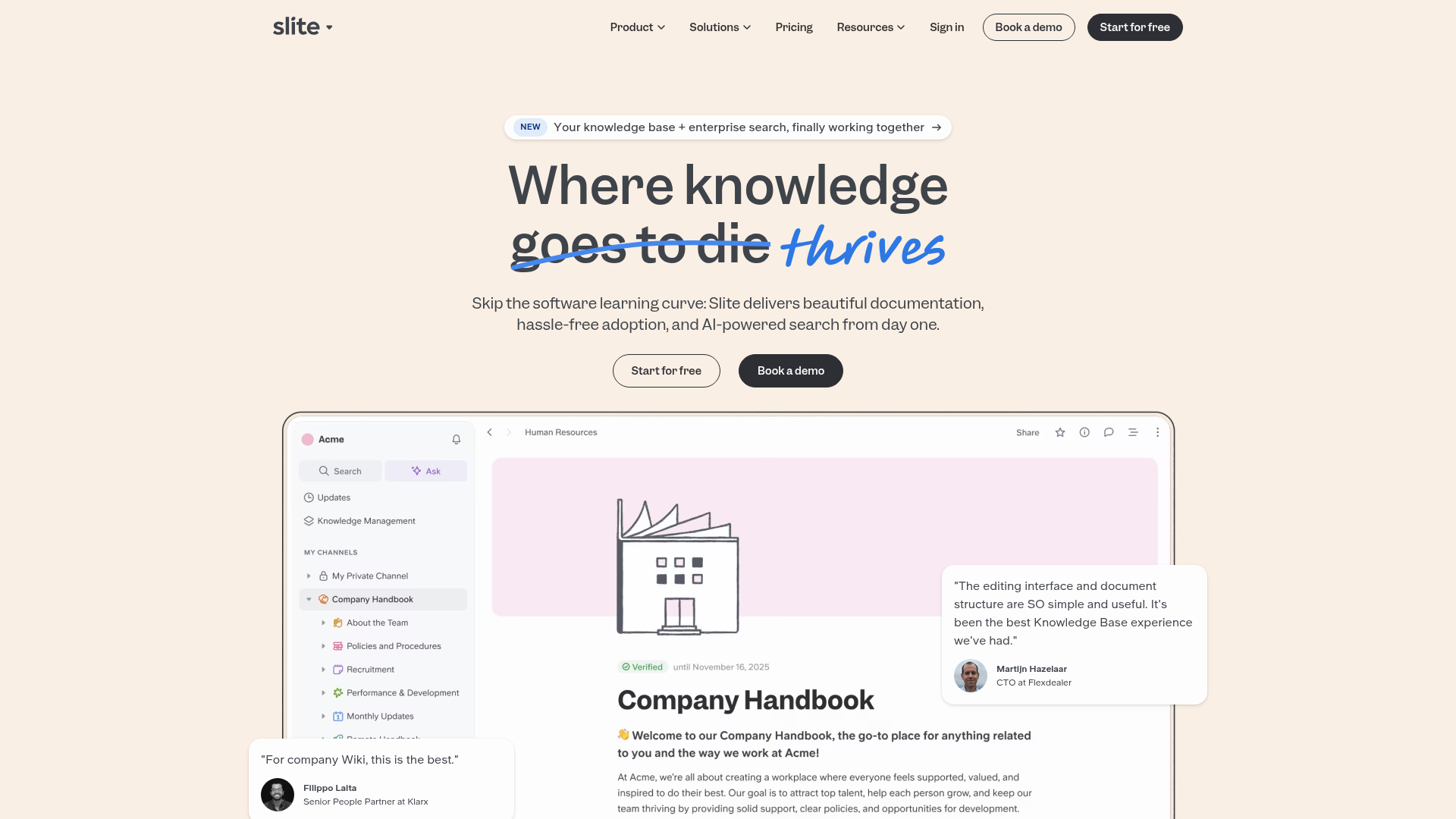
Replace Your Team Wiki With an AI That Actually Answers Questions
Open SliteThe verdict.
Slite is built for teams of 10 to 500 who are tired of wikis that nobody reads and Slack threads that nobody can find. Its AI layer genuinely changes the dynamic: instead of hunting through folders, teammates ask a question and get a sourced answer pulled from your existing docs. If your current knowledge base is a graveyard of outdated Notion pages or Confluence articles, Slite's free tier makes it trivially easy to pilot. The $8/user/month Pro plan is where the real value lives, and it is competitive enough to justify replacing your current stack if internal knowledge retrieval is a real pain point.
Pricing, straight.
All plans billed per user. Enterprise pricing requires a sales conversation.
Free
$0
per user / month
- Basic features to get started
- Limited access to templates
- Basic support
Pro
$8
per user / month
- Full access to all features
- Advanced integrations
- Custom analytics
Enterprise
Custom
contact sales
- Tailored onboarding
- Priority support
- Advanced compliance (SOC 2, SSO via Okta/Azure AD)
Pricing as captured on 2026-04-16. Check the live site before you commit.
For context: Notion's Team plan runs $10/user/month, and Confluence Standard is $5.75/user/month. Slite's $8 sits in the middle, but the AI answer layer is included at that price, not bolted on as an add-on.
What it actually does.
What makes Slite different from another wiki with a search bar.
AI-Powered Search
Ask a natural language question and get a direct, sourced answer instead of a list of 40 documents. The AI cites which doc it pulled from, so you can verify.
Automated Document Verification
Slite flags stale docs and nudges owners to review them. This is the feature most wikis lack: a mechanism to keep content from rotting silently.
Ownership Transfer
When someone leaves the team or changes roles, doc ownership can be reassigned cleanly. No more orphaned pages that nobody maintains.
Integrated Templates
Pre-built templates for meeting notes, project briefs, onboarding checklists, and more. Useful for standardizing how your team documents things from day one.
Deep Integrations
Native connections to Slack, Google Workspace, Zapier, Okta, and Azure AD. The Slack integration is particularly strong: teammates can query the knowledge base without leaving their chat window.
Compliant Knowledge Sharing
Granular permissions, SSO support through Okta and Azure AD, and enterprise-grade compliance features. Important if you are in a regulated industry or handling sensitive internal data.
Who Should Use Slite
Specific scenarios where Slite delivers clear ROI.
Growing Startups (20-200 people)
This is Slite's sweet spot. You have enough institutional knowledge that people are constantly asking "where is the doc for X?" but not enough headcount to justify a dedicated knowledge management team. The AI layer eliminates the most common Slack interruptions.
Onboarding-Heavy Teams
If you hire in batches or have high turnover in certain roles, Slite dramatically reduces the "ask your manager" bottleneck. New hires can query the knowledge base directly and get answers with source links, cutting ramp-up time measurably.
Teams Migrating from Notion or Confluence
Slite supports direct imports from Notion, Confluence, and Google Docs. If your current wiki has become a dumping ground that nobody searches, Slite's AI layer can make that existing content useful again without rewriting everything.
Internal Support and Ops Teams
Customer support, IT, and operations teams that field repetitive internal questions benefit the most. Think of it as an internal FAQ that actually stays current and can handle nuanced queries beyond simple keyword matching.
The honest part.
Where Slite falls short. No tool is perfect; here is what to watch for.
Free Plan Is Very Limited
The free tier is enough to test the editor and basic AI search, but it restricts templates, integrations, and analytics. You will hit the ceiling quickly with more than 5 active users. Treat it as a trial, not a long-term solution.
Customization Constraints on Lower Tiers
Branding, custom domains, and advanced permission structures are locked behind Pro or Enterprise. If you need fine-grained access control for different departments, budget for Pro from the start.
AI Quality Depends on Your Content Quality
This is true of every AI knowledge base tool, but it bears repeating. If your existing docs are poorly written, contradictory, or severely outdated, Slite's AI will surface bad answers confidently. The document verification feature helps, but it is not a substitute for a content cleanup effort during migration.
Not a Full Project Management Tool
Slite is a knowledge base, not a Notion replacement for databases, kanban boards, or task tracking. If you rely heavily on Notion's database features, you will still need a separate tool for that. Slite does one thing well; do not expect it to be your everything app.
Some Integrations Require Higher Plans
SSO through Okta and Azure AD is Enterprise-only. Zapier and some advanced Slack workflows require Pro. Check the integration matrix against your specific stack before committing.
Open Slite
Import your existing wiki, run it alongside your current setup for two weeks, and measure how many "where is the doc for X?" questions disappear. The free plan makes this a zero-risk experiment.