- SPECIMEN
Dreamflow
- FILED AS
Build Mobile Apps by Switching Between Prompts, Visual UI, and Code
- INTAKE DATE
- 2026-04-18
- CLASS
- Productivity
- METHOD
- desk research, filed before the Lab logged its counts
No dimension scores were recorded for this specimen, so no Koda Score is published. Read the verdict instead.
Three editing surfaces. One mobile app. Describe features in plain language, drag elements visually, or drop into code. Changes propagate instantly across all three.
Open Dreamflow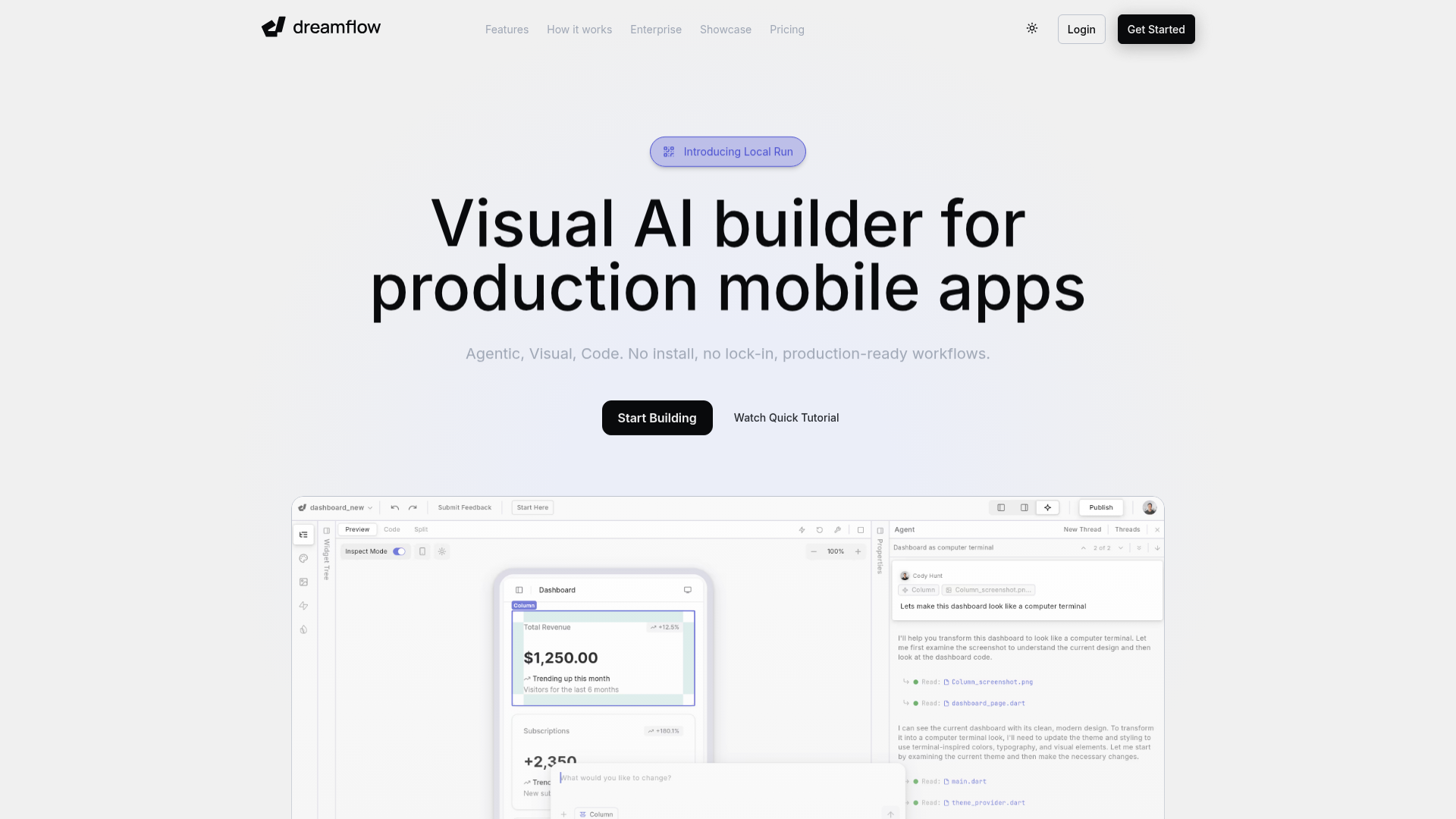
The verdict.
Dreamflow is built for teams and solo developers who want to go from idea to functional mobile prototype without choosing between speed and control. The tri-surface approach (prompt, visual, code) is genuinely differentiated; most competitors force you into one lane. If you need to validate a mobile app concept before committing to a full native build, or you want non-technical teammates to contribute to UI without breaking things, Dreamflow is worth serious consideration. The $20/month Hobby tier includes app store deployment, which makes it practical, not just a toy.
Pricing, straight.
Four tiers. Free gets you experimenting; Hobby gets you shipping.
Free
$0/mo
- Private projects with visual + code editing
- Managed backend (Firebase, Supabase)
- 1-click web deployment
- 10 AI credits (one-time starter)
Hobby
$20/mo
- 1-click deploy to Play Store & App Store
- Full code export
- Run locally on simulators & real devices
- 100 AI credits/mo
Pro
$90/mo
- Everything in Hobby
- Version control (Git integration)
- Priority access to premium AI models
- 500 AI credits/mo
Enterprise
Custom
- Dedicated support & onboarding
- Advanced access control
- Bring your own AI models
- SLA & uptime guarantees
- Private cloud deployment
Pricing as captured on 2026-04-18. Check the live site before you commit.
What it actually does.
What makes Dreamflow different from the growing pile of AI app builders.
Tri-Surface Editing
Switch freely between AI prompting, a visual drag-and-drop canvas, and raw code. Edits in one surface propagate to the others instantly. This is the core differentiator. You are never locked into a single workflow.
AI-Powered Development
Describe features in plain language and the AI generates functional components. Pro tier users get priority access to premium models. The credit system (10 free, 100 Hobby, 500 Pro) gates how much AI work you can do per month.
Cross-Platform Output
Build once, deploy to iOS, Android, and web. The Hobby plan and above include 1-click deployment to both the Play Store and App Store, which removes a significant friction point for indie developers.
Backend Integrations
Managed integrations with Firebase and Supabase are available on all plans, including Free. This means authentication, databases, and storage are wired up without manual configuration.
Full Code Export & Local Run
Starting at Hobby, you can export the full codebase and run it locally on simulators or real devices. This is critical. If Dreamflow ever shuts down or you outgrow it, your code is yours. No vendor lock-in on the output.
1-Click Deployment
Free tier deploys to web. Paid tiers add direct deployment to the App Store and Play Store. The promise is that you skip the usual build pipeline headaches, signing certificates, provisioning profiles, and store submission flows.
Version Control (Pro)
Git integration arrives at the Pro tier. For teams iterating on production apps, this is non-negotiable. It is worth noting that version control is gated behind the $90/month plan, which may push some teams to upgrade earlier than planned.
Private Projects by Default
All projects are private, even on the Free plan. This is a welcome default. You are not forced to make your experiments public to avoid paying, which is a pattern some competitors use to build their showcase galleries.
Who Should Use Dreamflow
Specific scenarios where this tool earns its keep.
Solo Founders Validating an Idea
You have a mobile app concept and need a working prototype to test with users before investing in a full native build. Dreamflow lets you go from description to deployable app in hours, not weeks. The $20/month Hobby tier gets you into both app stores.
Mixed-Skill Teams
A designer can refine layouts visually while a developer fine-tunes logic in code. The tri-surface model means both can work in their preferred mode without creating merge conflicts or translation layers between tools.
Agencies Building Client Prototypes
When a client needs to see and touch a working app before signing off on a larger engagement, Dreamflow can produce that deliverable fast. Code export means the prototype can become the foundation for the production build if the client approves.
Developers Who Hate Boilerplate
If you are comfortable in code but tired of setting up navigation, auth flows, and backend wiring for every new project, Dreamflow handles the scaffolding. You can prompt the structure, then drop into code for the parts that matter.
The honest part.
What to know before you commit.
-
Credit system can run dry fast.
The Free tier gives you 10 AI credits total, not per month. Hobby's 100 credits/month sounds generous until you realize heavy prompting during an active build week could burn through them quickly. There is no published pricing for additional credits, which makes budgeting unpredictable.
-
Git integration locked to Pro ($90/month).
Version control is a basic development need, not a premium feature. Gating it behind the $90 tier feels aggressive. Teams collaborating on anything beyond a simple prototype will likely need to jump straight to Pro.
-
Limited backend options.
Firebase and Supabase are the only managed integrations. If your stack relies on AWS Amplify, PlanetScale, or a custom backend, you will need to wire those connections manually in the code layer. The "managed" benefit disappears.
-
Cloud dependency.
The editing environment, AI features, and deployment pipeline all require an internet connection. There is no offline editing mode. If you are working from a plane or a spotty connection, you are stuck.
-
Early-stage product risk.
Dreamflow is a relatively new entrant. The feature set is promising, but the ecosystem (community resources, third-party plugins, Stack Overflow answers) is thin compared to established tools like FlutterFlow or Expo. The code export option mitigates lock-in risk, but you should factor in the maturity gap.