- SPECIMEN
Akiflow
- FILED AS
Collapse Your Task Chaos Into One AI-Scheduled Calendar
- INTAKE DATE
- 2026-04-23
- CLASS
- Productivity
- METHOD
- desk research, filed before the Lab logged its counts
No dimension scores were recorded for this specimen, so no Koda Score is published. Read the verdict instead.
Akiflow captures tasks from email, Slack, and project management tools, then uses AI to time-block your calendar based on real availability. Stop context-switching between five apps. Let one tool sequence your entire day.
Open Akiflow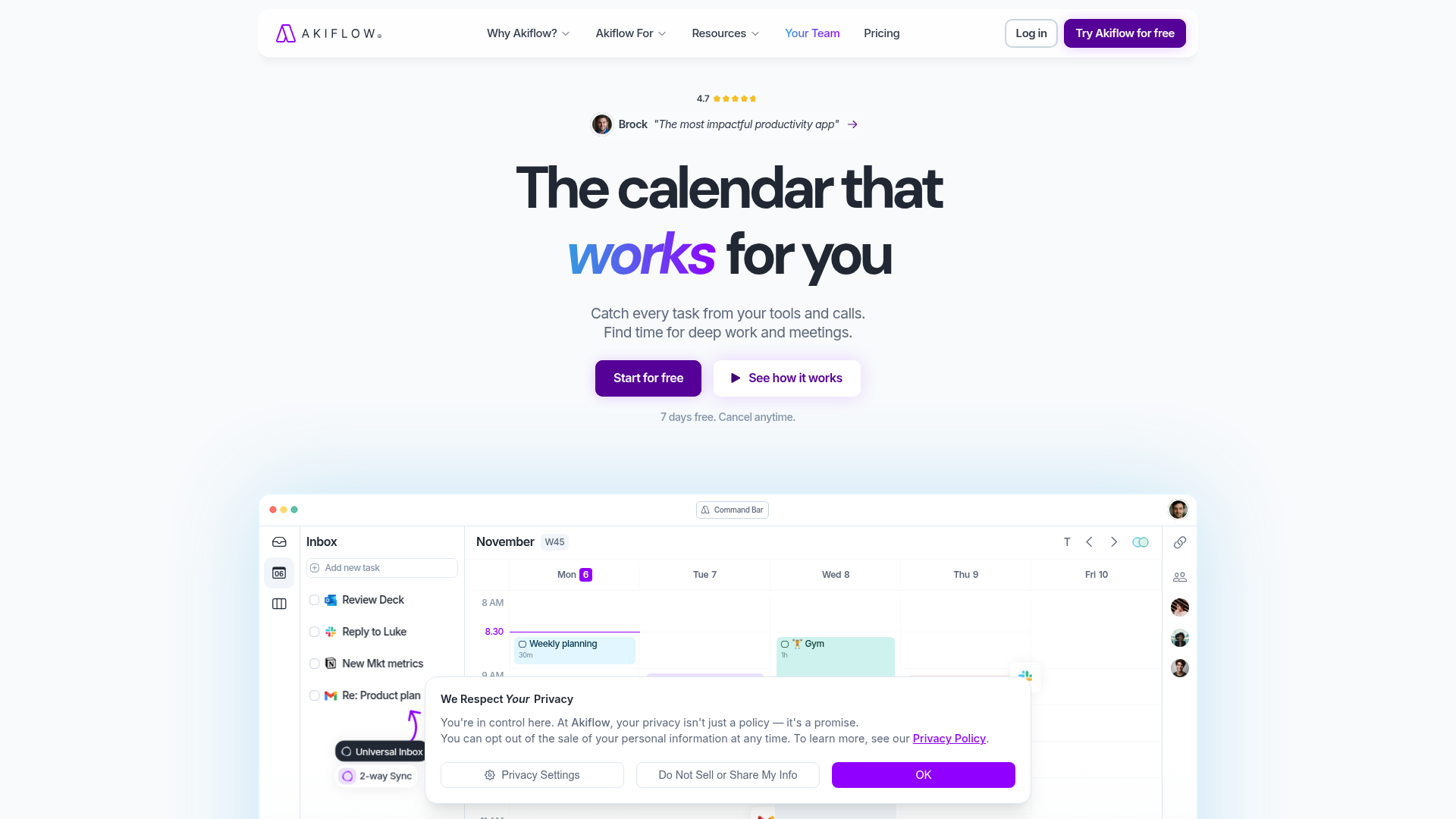
The verdict.
Akiflow is built for the professional who drowns in inputs: Slack messages that become tasks, emails that need follow-up, Asana tickets that need scheduling. If you already time-block your calendar (or want to start), Akiflow removes the manual overhead of dragging tasks into slots. It is genuinely useful for knowledge workers managing 20+ tasks per day across multiple tools. If your workflow is simpler, or you only use one project management tool, the $15+/month price tag may be hard to justify over a free calendar app with reminders.
Pricing, straight.
All plans include a 7-day free trial. Pricing is per user, billed monthly or annually.
Free Trial
$0
7 days, full access
- All integrations
- AI scheduling
- Universal inbox
Premium
$15/mo
Billed annually ($24.99/mo if monthly)
- Unlimited tasks and time blocks
- AI auto-scheduling
- All integrations (Slack, Gmail, Asana, Todoist, etc.)
- Command bar + keyboard shortcuts
- Priority support
Teams
Custom
Contact sales for pricing
- Everything in Premium
- Team workspace and shared visibility
- Admin controls and SSO
- Dedicated onboarding
Pricing as captured on 2026-04-23. Check the live site before you commit.
What it actually does.
What actually matters inside Akiflow.
Universal Inbox
Tasks from Gmail, Slack, Asana, Todoist, Notion, Jira, and more flow into a single inbox. You triage once instead of checking six apps.
AI Auto-Scheduling
The AI reads your calendar, understands deadlines and priorities, and slots tasks into open time blocks. It respects your working hours and meeting buffers.
Time Blocking
Drag tasks directly onto your calendar to create time blocks. Every task gets a concrete slot, which eliminates the "I'll get to it later" problem.
Command Bar
A Spotlight-style command bar lets you create tasks, navigate, and trigger actions without touching the mouse. Power users will appreciate the speed.
Two-Way Sync
Changes in Akiflow push back to source tools. Complete a task in Akiflow and it marks done in Asana or Todoist. No double entry.
Smart Rescheduling
When a meeting gets added or moved, Akiflow can automatically reshuffle your time blocks to accommodate the change. Unfinished tasks roll forward to the next available slot.
Scheduling Links
Built-in Calendly-style booking links that respect your time blocks. No need for a separate scheduling tool; your availability is always accurate.
Cross-Platform
Desktop apps for Mac and Windows, plus a mobile app for iOS. Your schedule stays in sync across devices, so you can triage tasks from your phone during commutes.
Who it is for.
Akiflow solves specific problems for specific people. Here is where it fits best.
Managers with Meeting-Heavy Days
If your calendar is 60%+ meetings, the remaining gaps are precious. Akiflow's AI fills those gaps with your highest-priority tasks so you stop losing track of what needs to happen between calls.
Freelancers Juggling Multiple Clients
When tasks arrive from five different Slack workspaces and three email accounts, Akiflow's universal inbox prevents things from slipping through. The time-blocking approach also helps with client billing accuracy.
Founders and Solo Operators
You wear every hat. Tasks come from investors, customers, your dev team, and your own ideas. Akiflow gives you a single place to see everything and forces you to be realistic about what fits in a day.
Time-Blocking Converts
If you already believe in time blocking but hate the manual overhead of dragging tasks into Google Calendar, Akiflow automates the tedious part. It is the tool that makes the method sustainable.
The honest part.
No tool is perfect. Here is what to know before committing.
No Free Tier Beyond Trial
After 7 days, you pay or you leave. At $15/month (annual) or $24.99/month (monthly), it is a real commitment. Competitors like Todoist and Google Tasks offer generous free plans. You need to be sure the AI scheduling justifies the cost.
Android Still Missing
Mobile support is iOS only as of April 2026. If you are on Android, you are limited to the desktop app and web. For a tool that wants to be your single task hub, this is a notable gap.
AI Scheduling Requires Trust (and Tuning)
The AI does not always nail priority ordering on day one. It takes a week or two of corrections before it learns your preferences. If you are the type who needs full manual control, the AI suggestions may feel more annoying than helpful initially.
Not a Full Project Management Tool
Akiflow is a personal productivity layer, not a replacement for Asana or Linear. There are no project views, Gantt charts, or team collaboration features in the traditional sense. It sits on top of your existing tools, not in place of them.
Integration Depth Varies
The Gmail and Slack integrations are solid. Some other integrations (like Notion) feel more surface-level, pulling in tasks but not syncing rich metadata like tags or custom fields. Check your specific tool stack before committing.
Consolidate Your Task Chaos.
Start with the 7-day free trial. Connect your two busiest input channels first and let the AI scheduler prove its value.