- SPECIMEN
Zed
- FILED AS
The Fastest AI Code Editor on Product Hunt This Month
- INTAKE DATE
- 2026-05-03
- CLASS
- Coding
- METHOD
- desk research, filed before the Lab logged its counts
No dimension scores were recorded for this specimen, so no Koda Score is published. Read the verdict instead.
A Rust-powered code editor with built-in AI assistance and real-time collaboration. Lightweight, fast, and gunning for VS Code's throne.
Open Zed Free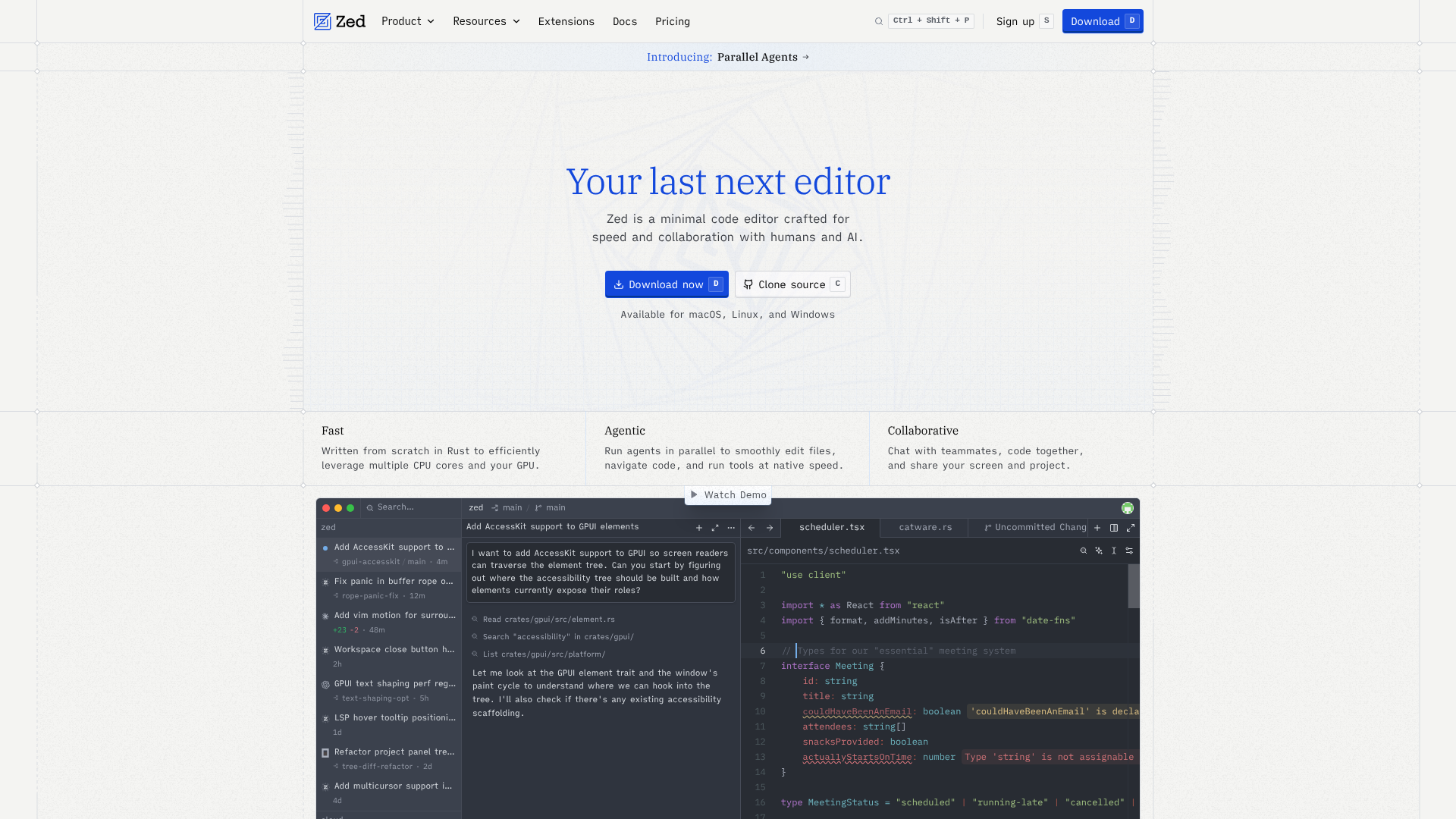
The verdict.
Zed is the real deal for developers who feel the weight of VS Code on large projects or who want native-speed editing without sacrificing AI features. If you work on collaborative codebases, do pair programming, or simply want an editor that opens instantly and never stutters, Zed deserves a serious trial. The free tier is generous enough to evaluate properly; the Pro tier at $15/month is competitive with Cursor and GitHub Copilot when you factor in the editor itself being included.
Pricing, straight.
Free
$0
- Basic code editing tools
- Community support
- Access to public extensions
Pro
$15/month
- Advanced editing tools
- Collaboration features
- Premium extensions access
Enterprise
Custom
- Customized features
- Dedicated support
- Integrations with existing tools
Pricing as captured on 2026-05-03. Check the live site before you commit.
Pricing as of May 2026. The free tier includes the full editor; Pro includes AI and collaboration features.
What it actually does.
Rust-Powered Performance
Built from scratch in Rust for native speed. Startup times and file navigation feel instant, even on monorepos with hundreds of thousands of files.
Real-Time Collaborative Editing
Google Docs-style multiplayer editing built into the core. Share a workspace link and code together with zero setup or plugins required.
Multi-Threaded AI Agent
AI agents run in parallel threads, meaning you can kick off multiple code generation or refactoring tasks without blocking your editing workflow.
Edit Prediction
AI-powered predictions anticipate your next edit based on context. Accept suggestions inline with a single keystroke, similar to Copilot but integrated at the editor level.
Native Git Support
Git operations are built into the editor natively. Inline blame, diff views, and branch management without needing a terminal or extension.
Integrations Ecosystem
Connects with GitHub, GitLab, Slack, JIRA, and Trello. Workflow context stays inside the editor rather than scattered across browser tabs.
Who Should Use Zed
Performance-Sensitive Developers
If you work on large codebases and VS Code's Electron overhead frustrates you, Zed's Rust core delivers a noticeable difference in responsiveness. File switching, search, and syntax highlighting all feel snappier.
Remote and Distributed Teams
The built-in collaboration removes the need for VS Code Live Share or screen sharing. Pair programming sessions start with a link, not a plugin installation process.
AI-First Workflow Adopters
Developers already using Cursor or Copilot who want tighter integration. Zed's multi-threaded agents mean you can run background tasks while continuing to code, rather than waiting for one completion at a time.
Startups Standardizing Tooling
Small teams that want one editor covering code, collaboration, and project management integrations. The JIRA and Slack connections reduce context switching for sprint-based workflows.
The honest part.
- Extension ecosystem is still maturing. VS Code has over 50,000 extensions. Zed's marketplace is growing but you may find gaps for niche languages, linters, or framework-specific tooling. Check extension availability for your stack before committing.
- Legacy language support is limited. If you work with older languages like COBOL, Fortran, or certain proprietary DSLs, Zed may not have syntax highlighting or LSP support yet.
- Collaboration requires internet. The real-time editing features depend on a connection. Offline mode works for solo editing, but you lose the multiplayer capabilities that differentiate Zed from alternatives.
- No mobile or tablet version. Desktop only for now. If you occasionally edit code on an iPad or Chromebook, you will need a fallback editor.
- Keybinding muscle memory. Switching from VS Code or JetBrains means relearning shortcuts. Zed offers keybinding presets, but edge cases and custom bindings may not transfer cleanly.
Test Zed.
Download the free version and benchmark it against your current editor on a real project. The speed difference is immediately obvious.
Open Zed Free