- SPECIMEN
RoomLab
- FILED AS
Filed without a one-line summary.
- INTAKE DATE
- 2026-05-14
- CLASS
- Marketing
- METHOD
- desk research, filed before the Lab logged its counts
No dimension scores were recorded for this specimen, so no Koda Score is published. Read the verdict instead.
Stage real estate photos, swap furniture, and generate cinematic walkthrough videos from still images. All powered by AI, all in seconds.
Open RoomLab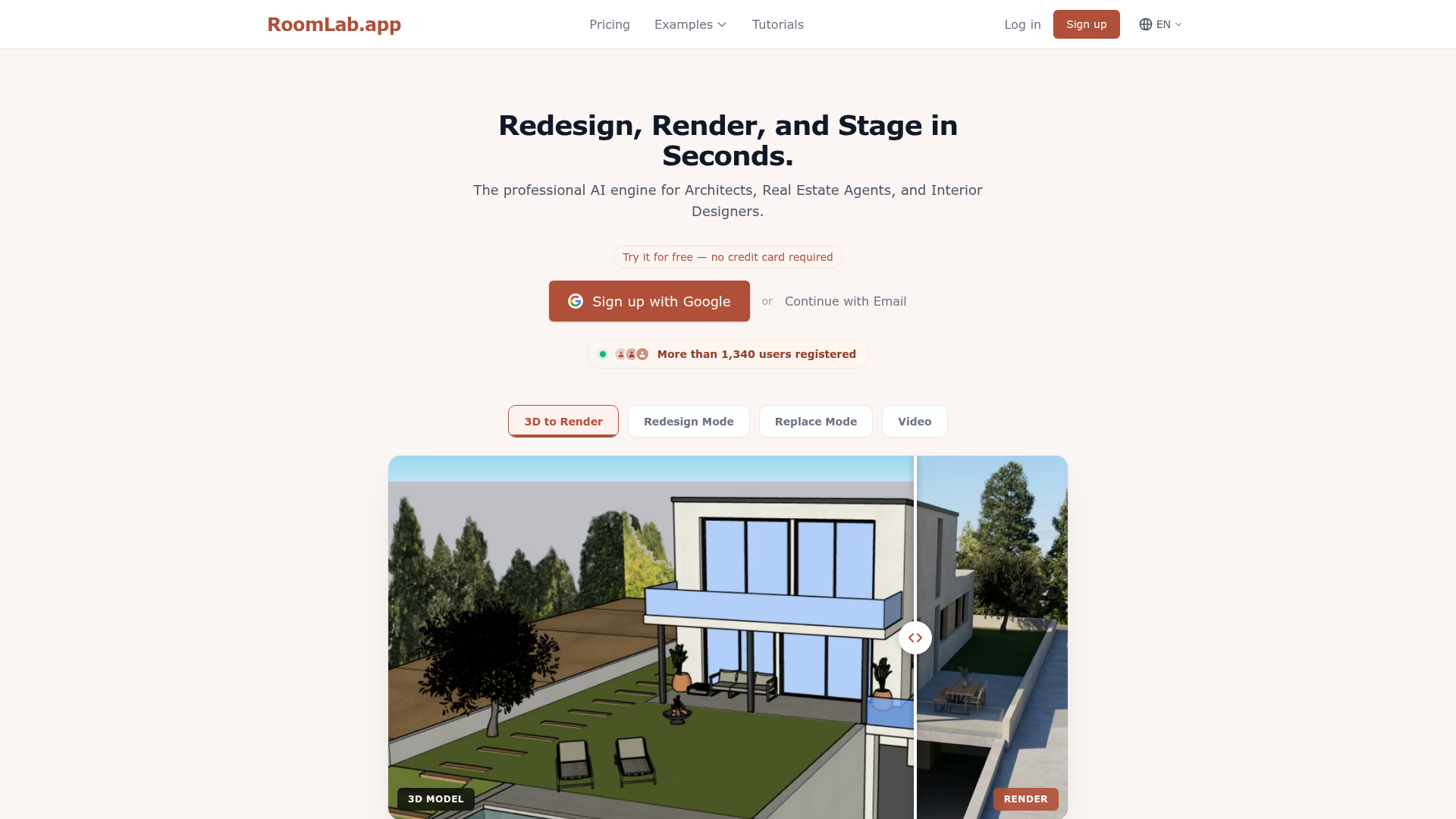
The verdict.
RoomLab is a strong pick for real estate agents and virtual stagers who need fast, affordable staging without hiring a photographer or renting furniture. The walkthrough video generation from still photos is a genuine differentiator that most competitors lack. At $15 to $100 per month (or a one-time $15 option for light users), it undercuts physical staging by orders of magnitude. The main caveat: your images and history get deleted after one to three months, so download everything promptly.
Pricing, straight.
Four tiers. One is a one-time purchase; the rest are monthly subscriptions. No free tier, but there is a free trial to test the waters.
Personal
$15
One-Time
- 15 Images
- 150 Credits
Pro
$20
/month
- 40 Images
- 400 Credits
- 1-month history
Ultra
$50
/month
- 110 Images
- 1,100 Credits
- 1-month history
Premium
$100
/month
- 300 Images
- 3,000 Credits
- 3-month history
Pricing as captured on 2026-05-14. Check the live site before you commit.
Cost per image: $1.00 (Personal), $0.50 (Pro), $0.45 (Ultra), $0.33 (Premium). Volume pays off.
What it actually does.
What you actually get for your credits.
Cinematic Walkthrough Videos
Upload a still photo and RoomLab generates a smooth, camera-movement video that simulates walking through the space. This is the standout feature. Most AI staging tools stop at images; RoomLab goes further.
Virtual Staging
Drop furniture, rugs, art, and decor into empty rooms. Choose from multiple design styles (modern, Scandinavian, industrial, etc.) and the AI places items with realistic lighting and perspective.
Furniture & Material Swap
Already have furniture in the shot? Replace specific pieces or swap materials (hardwood to tile, carpet to concrete) without re-shooting. Useful for showing renovation potential to buyers.
Instant Declutter
Remove clutter, personal items, and visual noise from listing photos in one click. The AI fills in the background naturally. A quick win for agents dealing with lived-in properties.
3D Model to Photorealistic Render
Architects and designers can upload 3D model screenshots and turn them into photorealistic images. Saves the cost and time of dedicated rendering software for quick client presentations.
Multi-Style Redesign
Redesign any room in any style with a single upload. Show the same space as mid-century modern, coastal, minimalist, or maximalist. Helpful for interior designers pitching multiple concepts to a client.
Who Should Use RoomLab
The tool targets a specific set of professionals. Here is where it fits best.
Real Estate Agents
The primary audience. Physical staging costs $2,000 to $5,000 per listing. RoomLab does it for under a dollar per image. The walkthrough video feature adds listing appeal without hiring a videographer. If you handle 5+ listings per month, the Pro or Ultra plan pays for itself immediately.
Interior Designers
Quickly mock up multiple style directions for client presentations. Instead of spending hours in SketchUp or paying for professional renders, snap a photo of the existing space and generate styled options in minutes. The multi-style redesign feature is built for this workflow.
Architects
The 3D-to-photorealistic render pipeline is useful for early-stage presentations where you need something better than a wireframe but do not want to invest in a full V-Ray render. Not a replacement for final deliverables, but solid for concept pitches.
Renovators & Flippers
Visualize the "after" before you start demo. Swap materials, test color schemes, and show investors or buyers what a property could look like post-renovation. The declutter tool is especially handy for before/after marketing.
The honest part.
No tool is perfect. Here is what to watch out for.
- Images get deleted. Pro and Ultra plans delete your images and history after just 1 month. Premium extends this to 3 months. There is no permanent storage. If you forget to download your staged photos, they are gone. Build a download habit immediately.
- Credits expire monthly. Unused credits do not roll over. If you pay for the Pro plan and only use 10 of your 400 credits, the remaining 390 vanish at the end of the billing cycle. This punishes inconsistent usage patterns.
- No refunds on generated content. If the AI produces a bad result, that credit is spent. You cannot dispute or reclaim it. This makes the learning curve more expensive than it should be, especially for new users still figuring out prompting and photo angles.
- No integrations. RoomLab is a standalone tool with no API, no MLS integrations, and no connections to popular real estate platforms like Zillow, Realtor.com, or CRM tools. Everything is manual upload and download.
- Credit system is opaque. Each plan lists both "Images" and "Credits" (e.g., 40 images / 400 credits on Pro), implying different features cost different credit amounts. The pricing page does not clearly explain how many credits a walkthrough video costs versus a simple staging. Expect some trial and error.
Stage smarter.
RoomLab turns empty rooms into listings that sell. Try it with the $15 one-time plan if you want to test before committing monthly.