- SPECIMEN
Tripo Studio
- FILED AS
Turn Text Prompts Into Production-Ready 3D Models in Seconds
- INTAKE DATE
- 2026-05-17
- CLASS
- Marketing
- METHOD
- desk research, filed before the Lab logged its counts
No dimension scores were recorded for this specimen, so no Koda Score is published. Read the verdict instead.
AI-powered 3D generation that converts text descriptions and images into detailed, exportable 3D models. No sculpting skills required.
Open it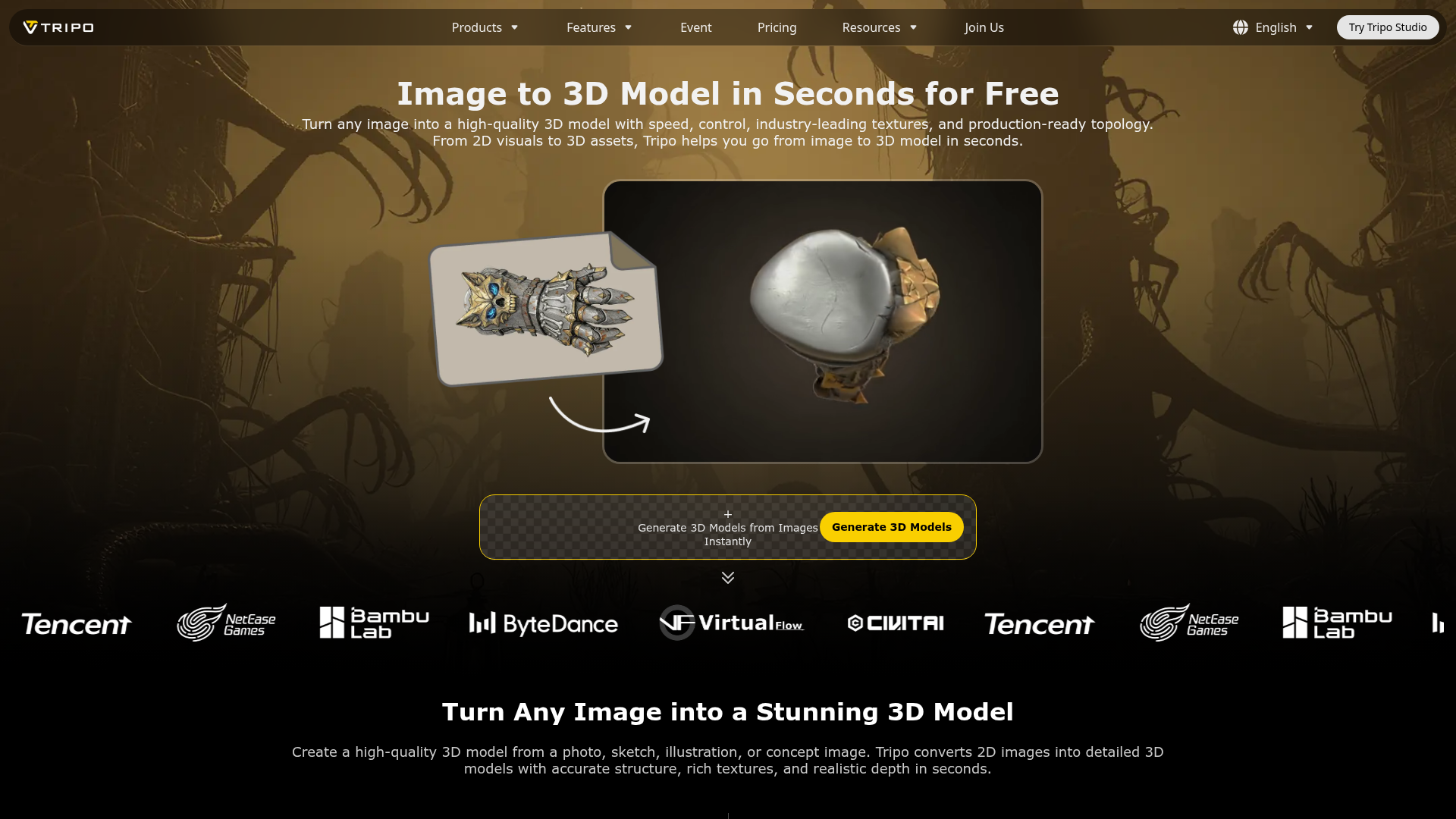
The verdict.
Tripo Studio is a genuinely useful shortcut for anyone who needs 3D assets fast but does not have the budget or time for a dedicated 3D artist. If you work in e-commerce, game prototyping, or marketing and regularly need "good enough" 3D models to iterate on, the free tier alone makes this worth testing. It will not replace a senior 3D modeler for final production assets, but as a starting point or concept visualization tool, it punches well above its price.
Pricing, straight.
As of May 2026. Check the site for current plans.
Free
$0No credit card required
- Generate 3D models from images instantly
- Supports JPG, PNG, and WEBP input formats
- Export in STL, OBJ, and FBX formats
- AI-powered accurate model generation
- Quick iterations via web interface
Note: Tripo likely offers paid tiers with higher generation limits, priority processing, and commercial licensing. The free tier may have daily or monthly caps on generations. Check their site for the latest plan details.
Pricing as captured on 2026-05-17. Check the live site before you commit.
What it actually does.
Image to 3D Conversion
Upload a single photo or multiple views and the AI reconstructs a full 3D model with geometry and texture. Supports JPG, PNG, and WEBP inputs.
Text-to-3D Generation
Describe what you want in plain language and Tripo generates a 3D model from scratch. Useful for rapid ideation when you do not even have reference images.
Multi-View Support
Feed the system multiple angles of the same object for significantly better structural accuracy. The AI stitches views together to reduce guesswork on occluded surfaces.
Rich Textures and Surface Detail
Generated models come with natural-looking textures, not just bare geometry. Materials, colors, and surface properties are inferred from the input.
Standard Export Formats
Export as STL (3D printing), OBJ (universal), or FBX (game engines and animation). These cover the vast majority of downstream workflows.
Seconds, Not Hours
Generation happens in seconds. Compare that to the hours or days a manual 3D modeling workflow takes. Even if you need to iterate three or four times, you are still ahead.
Fully Web-Based
No software to install. Everything runs in the browser, which means you can generate models from any machine. Low friction for teams that need to share access.
AI Structural Analysis
The AI analyzes input images for depth, proportions, and structural relationships. This is not just an extrusion of a silhouette; it attempts to understand the actual 3D form.
Who it is for.
E-Commerce Teams
Need 3D product shots for listings or AR previews? Upload a product photo and get a rotatable 3D model in seconds. Especially useful for catalogs with hundreds of SKUs where commissioning individual 3D renders is not feasible.
Game Developers and Indie Studios
Generate placeholder assets or concept models for early prototyping. You can describe a character, prop, or environment piece and get something tangible to drop into Unity or Unreal within minutes. Refine later with a proper artist.
Product Designers and Engineers
Quickly visualize a concept before committing to CAD. Useful for stakeholder presentations where you need something more tangible than a sketch but less polished than a final engineering model.
Marketing and Creative Agencies
Create 3D visuals for campaigns, social media, or pitch decks without waiting on a 3D artist's availability. The speed advantage is significant when you are iterating on creative direction with a client.
3D Printing Hobbyists
Describe or photograph an object, export as STL, and send it to your printer. The mesh quality may need cleanup for complex prints, but for simple objects it can save significant modeling time.
Artists and Illustrators
Use generated 3D models as reference for perspective, lighting studies, or as a base for digital painting. Faster than building a reference model from scratch in Blender.
The honest part.
Limited Input Formats
Only JPG, PNG, and WEBP are supported for image input. No SVG, TIFF, or raw camera formats. If your workflow involves professional photography, you will need to convert files first.
Not Production-Final Quality (Yet)
Despite the "production-ready" marketing, most outputs will need cleanup in Blender, Maya, or similar tools before they are truly ready for a shipped product. Topology is often messy, and fine details can be lost or hallucinated. Treat these as strong starting points, not finished assets.
Free Tier Restrictions Are Unclear
Tripo advertises a free tier but does not clearly communicate generation limits, resolution caps, or commercial use rights on the free plan. You may hit walls quickly if you are trying to use this at scale without paying.
Limited Customization Controls
You cannot fine-tune polygon count, UV mapping strategy, or material properties during generation. It is largely a "take what you get" system. Power users who need specific mesh characteristics will find this frustrating.
Competitive Space
Tripo competes with Meshy, Luma Genie, Kaedim, and others in the AI-to-3D space. Quality differences between these tools shift rapidly with each model update. What is best today may not be best in three months. Test multiple options before committing to a workflow.
Open it
Generate your first 3D model in seconds. Free to start.