- SPECIMEN
Let Me Know When
- FILED AS
URL watcher that pings you when any public page changes, with AI summaries
- INTAKE DATE
- 2026-07-27
- CLASS
- Productivity
- METHOD
- 2 pages scraped, 3 search passes, 19 community sources
Koda Score = weighted blend: capability 35, ease 20, value 25, momentum 20.
It is a cron job with taste: point it at a supplier price list or a rival changelog and stop opening those tabs every morning.
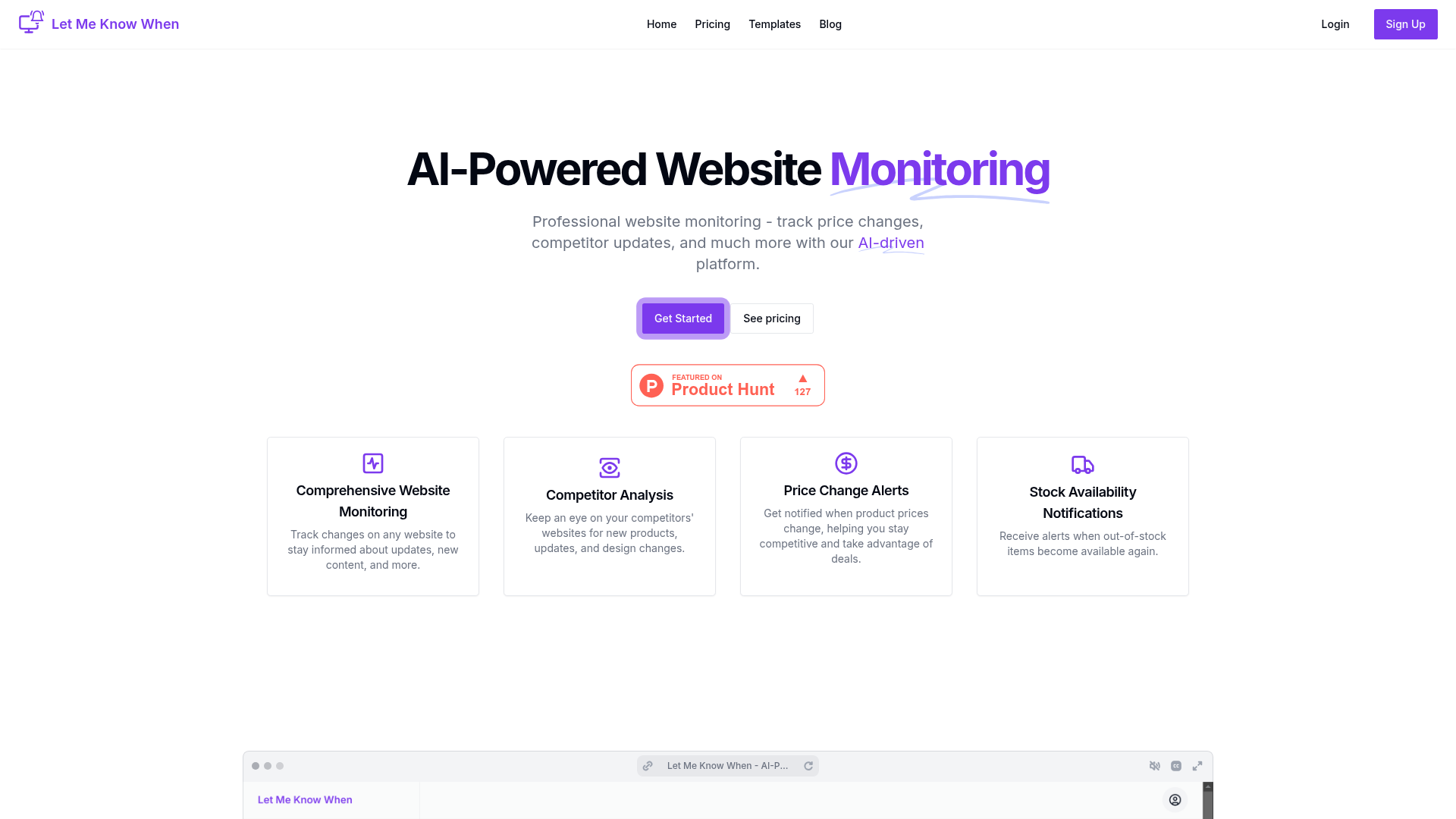
Captured: letmeknowwhen.app on 2026-07-27.
At $3.99 to $19.99 a month it is cheap enough to justify on a single caught price drop, but the check frequency ceiling (six per site per day on the top listed plan) means it is a morning-briefing tool, not a real-time sniping tool. This is for solo founders, ecommerce operators, and competitive marketers who currently keep a folder of tabs they check by hand. Worth adopting if your monitoring list is under 30 URLs and hours-late is fine; look elsewhere if you need minute-level alerts.
What it actually does.
Any-page change monitoring
Watches public URLs and flags updates, new content, and general changes without you writing a scraper.
Price change alerts
Pings you when a tracked product or supplier price moves so you can react or rebid.
Stock availability notifications
Tells you when an out-of-stock item comes back on the page you are watching.
Design and layout change detection
Surfaces visual and structural changes on monitored pages for review, useful for spotting competitor redesigns.
AI workflows
An AI assistant analyzes monitored pages to produce insights rather than just raw diffs; workflow count is metered by plan.
Competitor and product launch tracking
Keeps watch on rival pages for new products, updates, and launch announcements.
Uptime and SEO monitoring
Runs regular uptime checks on your own site and tracks SEO metrics alongside content monitoring.
Email and Slack delivery
Alerts arrive by email on every plan, with Slack included from the Starter tier upward.
How you would actually use it.
Concrete setups pulled from the research, not feature-list hand-waving.
Supplier price desk
Ecommerce or procurement operator
Add each supplier pricing page as a monitored site and route alerts to a dedicated Slack channel on Starter or above.
You learn about cost changes the day they happen instead of at the next quarterly review.
Rival changelog radar
Competitive marketing or product lead
Monitor competitor changelog, pricing, and launch pages, and use an AI workflow to summarize what actually changed.
A running feed of competitor moves without a standing tab-checking ritual.
Restock sniper (patient edition)
Reseller or deal hunter
Point the watcher at product pages for items you want and enable stock availability alerts.
Notification when inventory returns, within the plan's daily check window.
Job and opportunity watch
Recruiter or job seeker
Track company careers pages and filter for new listings that match your criteria.
You see postings before they hit aggregators, without daily manual checks.
Pricing, straight.
Up to 10 websites, 600 checks/month, 2 checks per site per day, email only, 0 AI workflows. Free trial starts here.
Up to 20 websites, 2,400 checks/month, 4 checks per site per day, email and Slack, 1 AI workflow.
Up to 30 websites, 5,400 checks/month, 6 checks per site per day, email and Slack, 5 AI workflows.
For under twenty dollars a month the site counts and check budgets are honest and reasonable; the only sting is that Slack and AI workflows are paywalled above the cheapest tier.
Pricing as captured on 2026-07-27. Check the live site before you commit.
What people online are saying.
Real reactions surfaced during research. Paraphrased faithfully, linked to source.
There is no usable street reaction yet: searches surface album reviews and English grammar videos for the phrase, and the only on-product result is the Product Hunt listing text itself, so treat reliability as unverified until you trial it.
The field.
Long-running website change monitor focused on visual page-change alerts.
PICK IT WHENChoose it when you need to watch a specific region of a page and want a tool with a longer public track record.
Page-change tracker with alerting, commonly used for price, stock, and layout monitoring.
PICK IT WHENChoose it when you want tighter control over check intervals and local or browser-side monitoring.
Web-change monitoring positioned for business teams tracking content, compliance, and competitor pages.
PICK IT WHENChoose it when the monitoring is for a team with compliance or archival requirements rather than a solo operator.
The honest part.
- Check frequency tops out at six per site per day on the highest listed plan, which rules out time-sensitive sniping.
- Only two notification channels are listed, email and Slack; no webhook, SMS, or Discord in the published integrations.
- Slack alerts and AI workflows are unavailable on the $3.99 Basic plan, which lists zero AI workflows.
- Site cap is 30 on the highest published plan; nothing above Advanced is listed, so heavier lists have no documented path.
- Effectively zero independent user reviews or public technical discussion exist, so uptime and false-positive behavior are unproven from outside.
- The marketing page lists a very wide feature surface (SEO, crypto, news, reviews, version tracking) that all funnels through the same change-detection mechanic, so expect breadth of framing rather than depth per use case.
Getting started.
Time to first value: about 10 minutes
Create an account and start the free trial from the Get Started link.
Add the URL you check most often as your first monitored site and pick your check frequency within the plan limit.
Connect email, or Slack if you are on Starter or above, and wait for the first change alert to confirm it fires.
Quick answers.
How fast will I actually hear about a change?
That depends entirely on your plan's check rate: two checks per site per day on Basic, four on Starter, six on Advanced. Worst case you learn about a change several hours after it happens, so this suits daily awareness rather than real-time reaction.
Is there a free plan?
The pricing page advertises a free trial rather than a permanent free tier, with Start free trial attached to the $3.99 Basic plan. The homepage says you can get started for free in minutes, but no ongoing free plan is listed.
What is an AI workflow and do I need one?
The site describes an AI assistant that analyzes monitored pages to produce actionable insights instead of raw diffs. Basic includes zero workflows, Starter one, Advanced five, so if you only want change notifications you can skip them; if you want summarized interpretation, budget for at least Starter.
Can it monitor pages behind a login?
Nothing in the published material claims support for authenticated or login-gated pages; the positioning is consistently around public web pages. Assume public URLs only until the vendor documents otherwise.
Start the free trial with your three most-checked tabs. If the alerts land before you would have looked anyway, the four dollar plan pays for itself and you can forget it exists.
Field research: 2 pages scraped · 3 search passes · 19 community sources. Reviewed by the Koda desk on 2026-07-27.