- SPECIMEN
GenOffice
- FILED AS
Open-source AI office suite for Docs, Sheets, Slides, and PDFs on the desktop
- INTAKE DATE
- 2026-08-08
- CLASS
- Productivity
- METHOD
- 1 page scraped, 3 search passes, 12 community sources
Koda Score = weighted blend: capability 35, ease 20, value 25, momentum 20.
An alpha office suite that one employee reportedly built in a week, open-sourced, free, and already pulling GitHub stars faster than most funded launches.
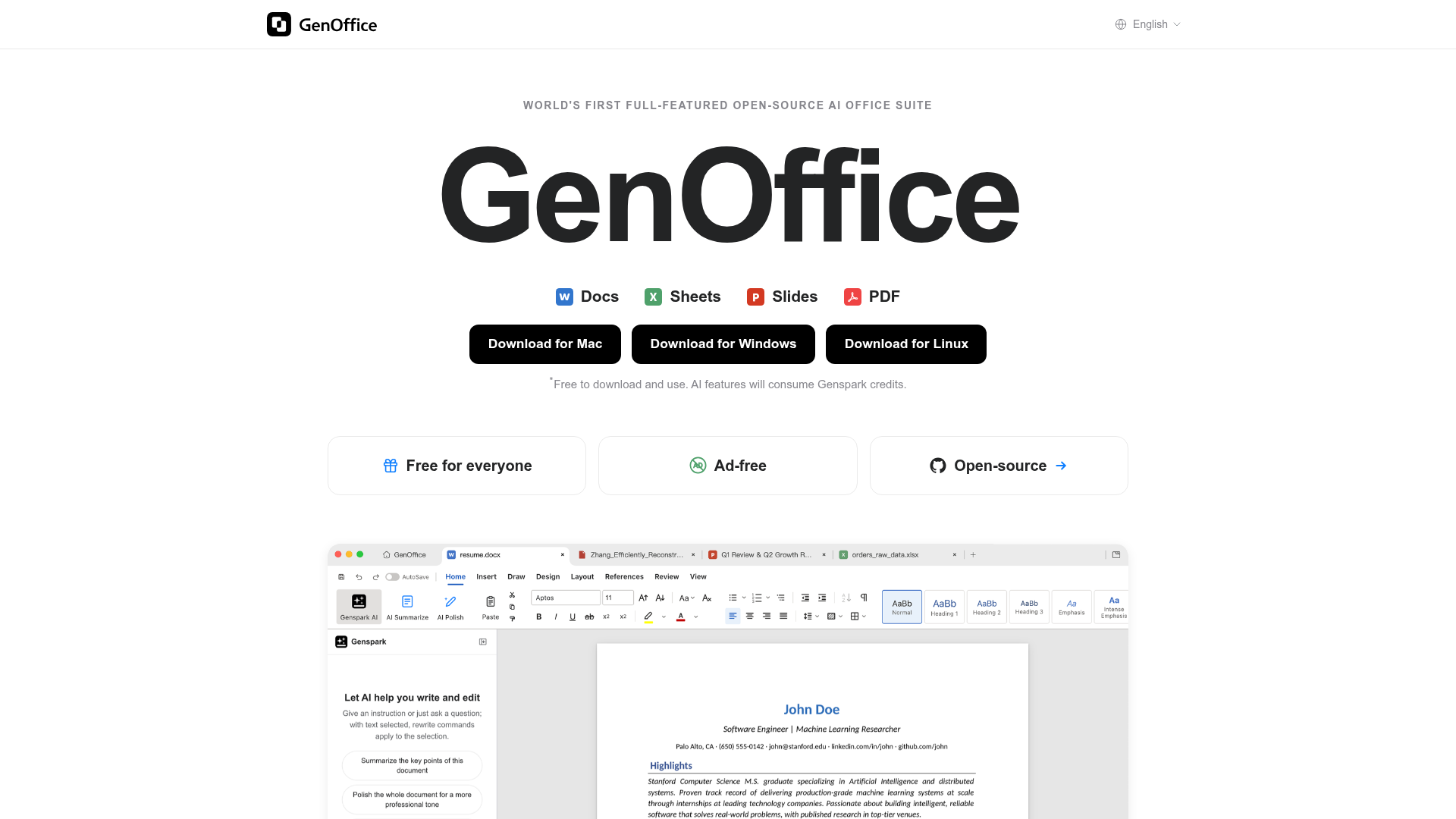
Captured: genoffice.ai on 2026-08-08.
Install it on a second machine, not on the laptop where your contracts live. GenOffice is for teams who want a local, license-free desktop suite with AI drafting bolted into every editor and are willing to live on alpha software to get it. It is a genuine scouting target if you already run LibreOffice or OnlyOffice and want an AI layer, but the privacy story is weaker than the open-source label suggests because the AI features lean on a Genspark account and credits.
What it actually does.
Four editors in one binary
Docs, Sheets, Slides, and a PDF reader ship together with support for Word, Excel, PowerPoint, and PDF files.
Prompt-level document editing
Draft a section, restyle a paragraph, or rewrite a document for a different audience from a single prompt inside Docs.
Formula generation in Sheets
Ask for a budget tracker, a monthly variance, or a pivot summary and the formulas get written for you.
Deck generation from a topic
Describe the subject and Slides plans a storyline, drafts every slide, and hands back an editable deck.
Highlight-and-ask PDF reading
Work through long contracts, papers, and statements by highlighting text and questioning it in place.
Open source and forkable
The repo is public on GitHub so you can customize the suite or embed it in products you already ship.
No license fees, no ads, no watermarks
The published pricing is a single free tier you download and use immediately.
Contributor incentives
Active contributors in the GenTeam group chat are offered 1,000-plus Genspark credits for feedback and work.
How you would actually use it.
Concrete setups pulled from the research, not feature-list hand-waving.
The PDF triage pass
Ops lead reading vendor paperwork
Open a long non-confidential statement or vendor agreement in the PDF editor, highlight the clauses you care about, and ask questions inline instead of scrolling back and forth.
A faster first read on long documents without pasting pages into a chat window.
Formula scaffolding for a budget
Solo founder building a simple model
In Sheets, describe the budget tracker or monthly variance you want and let the AI write the formulas, then check every cell it touched before you save.
A working spreadsheet skeleton in minutes, which is the weakest spot in most free suite alternatives.
First-draft deck from a brief
Marketer prepping an internal readout
Give Slides the topic and audience, let it plan the storyline and draft each slide, then rewrite the two slides that actually matter.
Skips the blank-canvas stall on low-stakes internal presentations.
Fork it into your own product
Platform engineer at a small software team
Clone the GitHub repo, strip the parts you do not need, and evaluate whether the editors can be embedded into an existing product surface.
A candidate open-source document editing layer you control, with the AI hooks already wired.
Pricing, straight.
No license fees, no ads, no watermarks; download and use immediately. One review reports the AI features require a Genspark account and credits.
Free for the suite itself is hard to argue with; the honest caveat is that the AI payload appears to depend on Genspark credits, so the real cost shows up once you use the part that makes this interesting.
Pricing as captured on 2026-08-08. Check the live site before you commit.
What people online are saying.
Real reactions surfaced during research. Paraphrased faithfully, linked to source.
Too new for a real street reaction: the research turns up launch coverage, reposts, and reviewer commentary rather than first-hand user threads on Reddit, Hacker News, or Product Hunt.
Market coverage frames it as an open-source AI-enhanced office suite with decent GitHub traction, while noting it has limited differentiation against LibreOffice.
A video reviewer likes that it is free and open with real AI inside every editor and says it was built shockingly fast, but points out the AI features still need a Genspark account and credits.
A detailed hands-on note advises testing only with non-confidential files, checking every change before saving, and confirming you can recover after an accident.
Genspark says the project hit 1,000 GitHub stars within 24 hours of launch.
A widely shared post claims one employee built the GenOffice alpha in a week using roughly ten thousand dollars of model tokens.
The field.
The long-standing free and open-source desktop office suite.
PICK IT WHENYou need a stable local suite today and can live without a built-in AI layer; coverage notes GenOffice has limited differentiation against it.
Desktop and web office suite focused on document, spreadsheet, and slide editing.
PICK IT WHENEditing fidelity and collaboration matter more to you than AI-native workflows.
The mainstream benchmark for AI-assisted office work.
PICK IT WHENYou need production reliability, enterprise support, and deep format compatibility, and the license cost is acceptable.
The honest part.
- Self-declared alpha, with feature coverage thinner than the full versions of established suites.
- One reviewer reports the AI features require a Genspark account and credits, which undercuts the assumption that open source means fully local processing.
- A hands-on note warns to use non-confidential files only and to verify recovery after a bad save, implying stability risk in the current release.
- Platform coverage is inconsistent: the site lists Mac, Windows, and Linux builds, but multiple reviews describe it as Windows and Mac only, with Mac on Apple Silicon.
- Version numbers across the download links do not line up, which is a fair signal of how fast and loosely this is shipping.
Getting started.
Time to first value: about 10 minutes
Download the Mac, Windows, or Linux build from the GitHub releases page and install it.
Open a throwaway copy of a real document, not the original, and try one AI edit in Docs plus one formula request in Sheets.
Join the GenOffice group chat on GenTeam to file what breaks and track what ships next.
Quick answers.
Does open source mean my documents stay on my machine?
Not necessarily. The app and its source are free and public, but a review reports that the AI features require a Genspark account and credits, which points to hosted model calls. If your constraint is where document text goes, verify that behavior in the repo before you trust it with sensitive files.
Is it safe to use for real work right now?
Treat it as an evaluation build. The site says it is still in alpha, and a detailed hands-on writeup recommends testing only with non-confidential files, reviewing every change before saving, and confirming you can recover after a mistake.
What does it actually cost?
The suite itself is listed as free with no license fees, no ads, and no watermarks. The published pricing shows only that free tier, though the AI layer reportedly draws on Genspark credits, and active contributors are offered 1,000-plus credits for participating in the GenTeam community.
Why should I care given LibreOffice exists?
The AI layer inside every editor is the whole pitch: prompt drafting in Docs, formula and pivot generation in Sheets, deck generation in Slides, and highlight-and-ask PDF reading. Market coverage still frames the differentiation against LibreOffice as limited, so the question is whether that AI layer earns its place in your workflow.
Download it, poke at the PDF reader and the spreadsheet formula generation, and file issues; do not migrate a single real workflow onto it this quarter.
Field research: 1 pages scraped · 3 search passes · 12 community sources. Reviewed by the Koda desk on 2026-08-08.