- SPECIMEN
Trigger.dev Chat Agent
- FILED AS
Durable AI chat agents in TypeScript that keep running after the tab closes
- INTAKE DATE
- 2026-08-16
- CLASS
- AI Platform
- METHOD
- 2 pages scraped, 3 search passes, 12 community sources
Koda Score = weighted blend: capability 35, ease 20, value 25, momentum 20.
Most chat agents are hostages to a browser session; this one treats the conversation as a background job with retries, approvals, and logs.
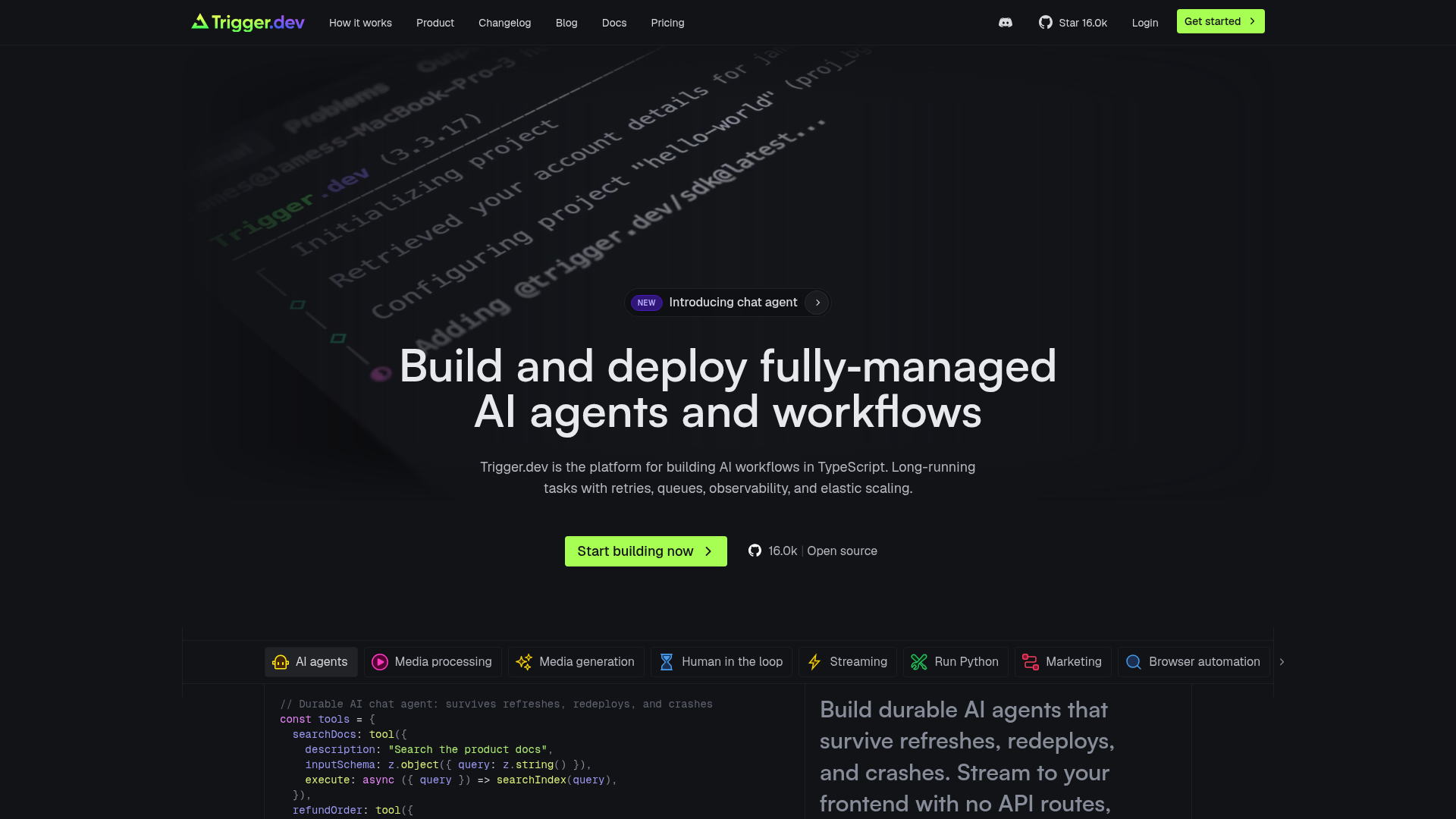
Captured: trigger.dev on 2026-08-16.
It is worth adopting if your agent work looks like migrations, batch cleanup, or multi-step scrapes rather than snappy Q and A, though if you want a no-code agent builder or a drag-and-drop canvas, look elsewhere; the fit is TypeScript teams who already think in terms of queues and workers and want their agent runs to survive refreshes, redeploys, and crashes.
What it actually does.
Durable chat runs
Agent runs are designed to survive refreshes, redeploys, and crashes rather than ending with the browser session.
Human-in-the-loop approvals
Mark a tool with needsApproval and the run pauses for sign-off while staying alive.
Typed tool calling
Tools are declared once with schema validation and threaded through the run with types intact.
No timeouts
Tasks run as long as they need on managed workers, which is the whole point for migrations and batch jobs.
Streaming to the frontend
Responses stream directly to your UI without you writing intermediary API routes.
Observability and alerts
Full run traces, advanced filtering, and failure alerts via email, Slack, or webhooks.
Concurrency controls
Concurrent execution with plan-level concurrency limits, so batch fan-out is a config decision not a rewrite.
Python execution support
Run Python inside tasks when your pipeline step will not bend to TypeScript.
How you would actually use it.
Concrete setups pulled from the research, not feature-list hand-waving.
The overnight migration
Backend engineer on a data platform team
Define the migration as a chat agent task with a hard stop condition, mark the destructive write tool as needsApproval, and let it run on managed workers overnight.
The job finishes without anyone keeping a tab open, and you review the trace and the approval prompt in the morning.
Batch data cleanup with a human gate
Ops engineer at a SaaS company
Fan out the cleanup across records using concurrency limits, and require approval before the agent applies anything irreversible.
Thousands of records processed with one review checkpoint instead of a spreadsheet and a prayer.
Multi-step scrape and summarize
Growth or research engineer
Chain fetch, extract, and summarize steps inside a single durable run with retries, streaming interim output to an internal dashboard.
Long crawls survive deploys and network flakiness, and partial results are visible while the run continues.
Support agent with refund guardrails
Product engineer owning support tooling
Mirror the homepage pattern: a searchDocs tool that runs freely and a refundOrder tool gated behind approval, with stepCountIs capping runaway loops.
An agent that resolves routine tickets and escalates money-moving actions to a human.
Pricing, straight.
$5/month credits, 20 concurrent runs, 5 seats, 1 day log retention, community support
$10 credits included, 50 concurrent runs, 7 day log retention, 100 schedules, 150 concurrent Realtime connections
$50 credits, 200+ concurrent runs, 30 day log retention, dedicated Slack support, AWS PrivateLink
RBAC, SSO, SOC 2 and pen test reports, custom log retention, priority support
You pay only while code executes, at per-second compute plus $0.25 per 10,000 run invocations, which is fair for bursty long jobs but means the real bill depends on how chatty your agents are.
Pricing as captured on 2026-08-16. Check the live site before you commit.
What people online are saying.
Real reactions surfaced during research. Paraphrased faithfully, linked to source.
Too new for a real street read: the only public discussion surfaced was Product Hunt launch and review pages plus Trigger.dev's own docs, with no third-party complaints or skepticism to report.
The launch framing is blunt about the pitch: AI chat that keeps running after you close the tab, streaming through refreshes and crashes.
Reviewers describe Trigger.dev as a strong fit for developer-led background work and workflow automation, especially for teams that want to stay in TypeScript.
The field.
Graph-oriented agent and workflow orchestration with durable multi-step state.
PICK IT WHENYour agent logic is genuinely a state graph and you want explicit control over nodes and edges more than a drop-in chat transport.
General-purpose durable execution and orchestration engine for backend workflows.
PICK IT WHENYou need heavyweight, language-agnostic orchestration across your whole backend and can absorb the adoption cost.
Event-driven background execution with queues and retries.
PICK IT WHENYour workload is event and job driven and durable AI chat sessions are not the centerpiece.
The honest part.
- No built-in UI components for complex workflows, so the operator surface is yours to build.
- TypeScript knowledge is required for parts of the platform; it is a code-first product, not a canvas.
- Limited predefined templates, which means more scaffolding before your first useful run.
- Free tier gives just 1 day of log retention and 20 concurrent runs, thin for debugging real batch jobs.
- Community reaction to Chat Agent specifically is unverified beyond launch pages, so long-run reliability claims are still mostly the vendor's.
Getting started.
Time to first value: about 30 minutes if you already have a TypeScript project
Sign up on the cloud dashboard and add a trigger folder to your project, commonly src/trigger.
Define a chat.agent with your tools, an abort signal, and a stop condition like stepCountIs so runs cannot loop forever.
Deploy, trigger a run, and watch the trace in the dashboard while output streams to your frontend or lands in your chosen store.
Quick answers.
How long can a single agent run last?
Trigger.dev states tasks can run as long as you need with no timeouts, because they execute on its managed workers rather than a serverless function. That is the core reason Chat Agent survives a closed tab. You are billed per second of execution while the code is actually running.
Can I self-host it?
Yes, Trigger.dev publishes a self-hosting guide and the project is open source with 16k+ GitHub stars. Self-hosting means you take on the infrastructure and scaling that the managed plans handle for you.
What does a human approval step actually do to the run?
Marking a tool with needsApproval pauses execution for human sign-off while the run stays alive rather than timing out. The homepage example gates a refundOrder tool this way while leaving a docs search tool unrestricted.
Do I need to write TypeScript to use it?
Mostly yes; the platform is TypeScript-first and some functionality requires it, though there is support for running Python inside tasks. If nobody on your team wants to write orchestration code, this is the wrong tool.
Wire it up if your agents need to outlive the browser and you are comfortable writing the orchestration yourself. Define the finish condition and the output destination before you press run.
Field research: 2 pages scraped · 3 search passes · 12 community sources. Reviewed by the Koda desk on 2026-08-16.