- SPECIMEN
RemNote
- FILED AS
Note-taking app with flashcards and spaced repetition built into the editor.
- INTAKE DATE
- 2026-08-20
- CLASS
- Productivity
- METHOD
- 1 page scraped, 3 search passes, 24 community sources
Koda Score = weighted blend: capability 35, ease 20, value 25, momentum 20.
Most study apps make you copy your notes into a flashcard tool. RemNote makes the note the flashcard, and that one design choice is the whole argument.
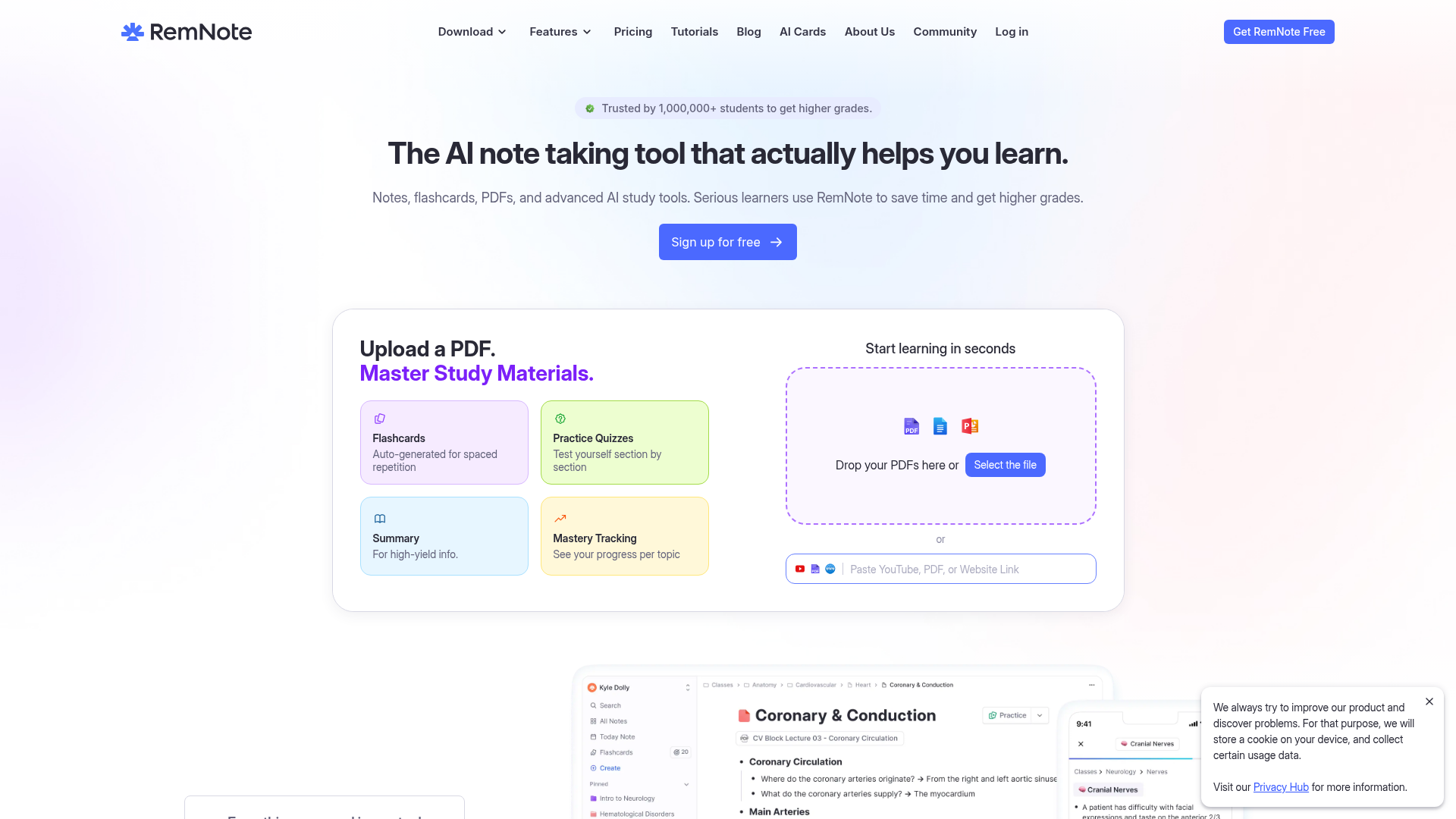
Captured: www.remnote.com on 2026-08-20.
The interface density and the performance complaints in the community will annoy you more than the flashcards will help if you mostly want fast, clean notes and rarely review them. RemNote, by contrast, is for students and self-directed learners who already believe in spaced repetition and are tired of maintaining two systems: an outliner for notes and Anki for cards. If that is you, the integrated workflow is worth the switch, and the free tier is generous enough to test it properly.
What it actually does.
Inline flashcard creation
Cards are written directly inside your outline notes rather than in a separate deck app.
Spaced repetition scheduling
Cards resurface on a schedule tuned for retention instead of on your whim.
Exam scheduler
Set your exam date and RemNote tells you what to study each day up to it.
PDF and slide annotation
Upload PDFs or slide decks and highlight, draw, and annotate alongside your notes.
AI card and quiz generation
Generate flashcards, practice quizzes, and summaries in one click from notes, PDFs, or other sources.
AI Tutor chat
Ask questions about your own notes and get explanations attached to your cards.
Handwriting and drawing
Take handwritten notes on a tablet, sketch, and convert handwriting to text.
Card variety and mastery tracking
Image occlusion, cloze, question/answer, lists, and clusters, with per-topic progress views.
How you would actually use it.
Concrete setups pulled from the research, not feature-list hand-waving.
The single-pass lecture
Med or law student in a dense lecture course
Take outline notes live in RemNote and mark the testable lines as cards as you type, instead of rewriting them into a deck that evening.
Notes and review deck finish at the same moment, killing the second pass entirely.
PDF to review queue
Grad student working through assigned readings
Drop the PDF in, annotate it inline, then use auto-generated flashcards and section quizzes off the highlighted material.
A dense reading turns into a reviewable queue in one sitting rather than a folder of forgotten highlights.
Reverse-engineered exam plan
Anyone with a hard deadline and too much material
Load the material, then set the exam date in the exam scheduler and follow the daily assignment it generates.
Study decisions get made once, up front, instead of every anxious evening.
The compounding knowledge base
Professional or lifelong learner outside formal study
Use it as the long-term outliner for a field you care about, adding cards only for the facts you actually want retained.
Notes that keep working after you write them, rather than an archive you never reopen.
Pricing, straight.
Note-taking, flashcards, spaced repetition, and PDF annotation.
Advanced AI tools, backups, and customizations.
The free tier is unusually complete for a study app, but shipping a Pro plan with no listed price is a real friction point for anyone trying to budget.
Pricing as captured on 2026-08-20. Check the live site before you commit.
What people online are saying.
Real reactions surfaced during research. Paraphrased faithfully, linked to source.
Users who stick with it credit it with real retention gains and a genuinely unified notes-plus-cards workflow, while the loudest complaints are performance and interface clutter.
The flashcard side of it is a game changer for actually retaining what you read.
Keeping material active through flashcards and spaced repetition cut my study time roughly in half.
The idea is genius but performance is a huge impediment in practice.
It looked incredible at first, then major issues showed up the longer I used it.
Drawing on PDFs was the last big gap and now that it landed the app feels close to complete.
The field.
The long-running standard for pure flashcards and spaced repetition.
PICK IT WHENYou want the strongest, most battle-tested review engine and keep your notes somewhere else entirely.
Flexible local-first knowledge management built on linked markdown notes.
PICK IT WHENKnowledge management and note linking matter more to you than a native study workflow.
General-purpose notes, docs, and databases for individuals and teams.
PICK IT WHENYou need easy organization and sharing rather than retention-focused review.
The honest part.
- Pro pricing is not stated on the site, so you cannot evaluate the paid tier before signing up.
- Multiple community threads report performance problems, and heavy users disagree sharply about how well it scales.
- Reviewers describe the interface as busy, with awkward tagging and a navigation learning curve.
- Combining notes, LaTeX, and PDFs in one workspace can get chaotic according to Reddit users.
- Some basic functions and language support are called out as lacking in Product Hunt review summaries.
Getting started.
Time to first value: about 20 minutes
Sign up free on web and create a document for one real course or topic.
Type notes in the outliner and mark the testable lines as flashcards as you go, or upload a PDF and let AI draft cards.
Set your exam date in the exam scheduler and run the first daily review session.
Quick answers.
Do I still need Anki if I use RemNote?
Not for most study workflows, since RemNote handles card creation and spaced repetition natively and lists Anki among its integrations. Anki still has the stronger reputation as a pure review engine, so keep it if you care more about the scheduler than about having notes and cards together.
How much does Pro cost?
RemNote does not state the Pro price on the pages we reviewed; the site lists Pro as advanced AI tools, backups, and customizations without a figure. Treat the free tier as your evaluation path and check pricing in-product before you commit.
Will it slow down with a large knowledge base?
That is the most contested point in the community. One Reddit thread calls performance a huge impediment while another user reports a base of over 550,000 bullets running fast on web, so test with your own volume of PDFs and notes before you migrate everything.
Is the free tier actually usable for exam prep?
Yes. Free covers note-taking, flashcards, spaced repetition, and PDF annotation, which is the core loop. Pro is about advanced AI tooling, backups, and customization rather than opening the study workflow itself.
Sign up free, run one real course or one real PDF through it before you commit anything larger. The workflow either clicks for you in a week or it does not, and the free tier is honest enough to tell you which.
Field research: 1 pages scraped · 3 search passes · 24 community sources. Reviewed by the Koda desk on 2026-08-20.