- SPECIMEN
Cavya.ai
- FILED AS
AI glossary, style guide, QA and document analysis for translation projects
- INTAKE DATE
- 2026-08-31
- CLASS
- Productivity
- METHOD
- 1 page scraped, 3 search passes, 16 community sources
Koda Score = weighted blend: capability 35, ease 20, value 25, momentum 20.
Genuinely useful coverage of a neglected workflow stage with a near-zero learning curve, held back by no integrations, credit pricing that is not published as a number, and almost no independent public feedback yet.
7 MIN READEveryone is racing to automate the translation itself; Cavya automates the boring hour before it, which is the part that actually decides whether the output reads native.
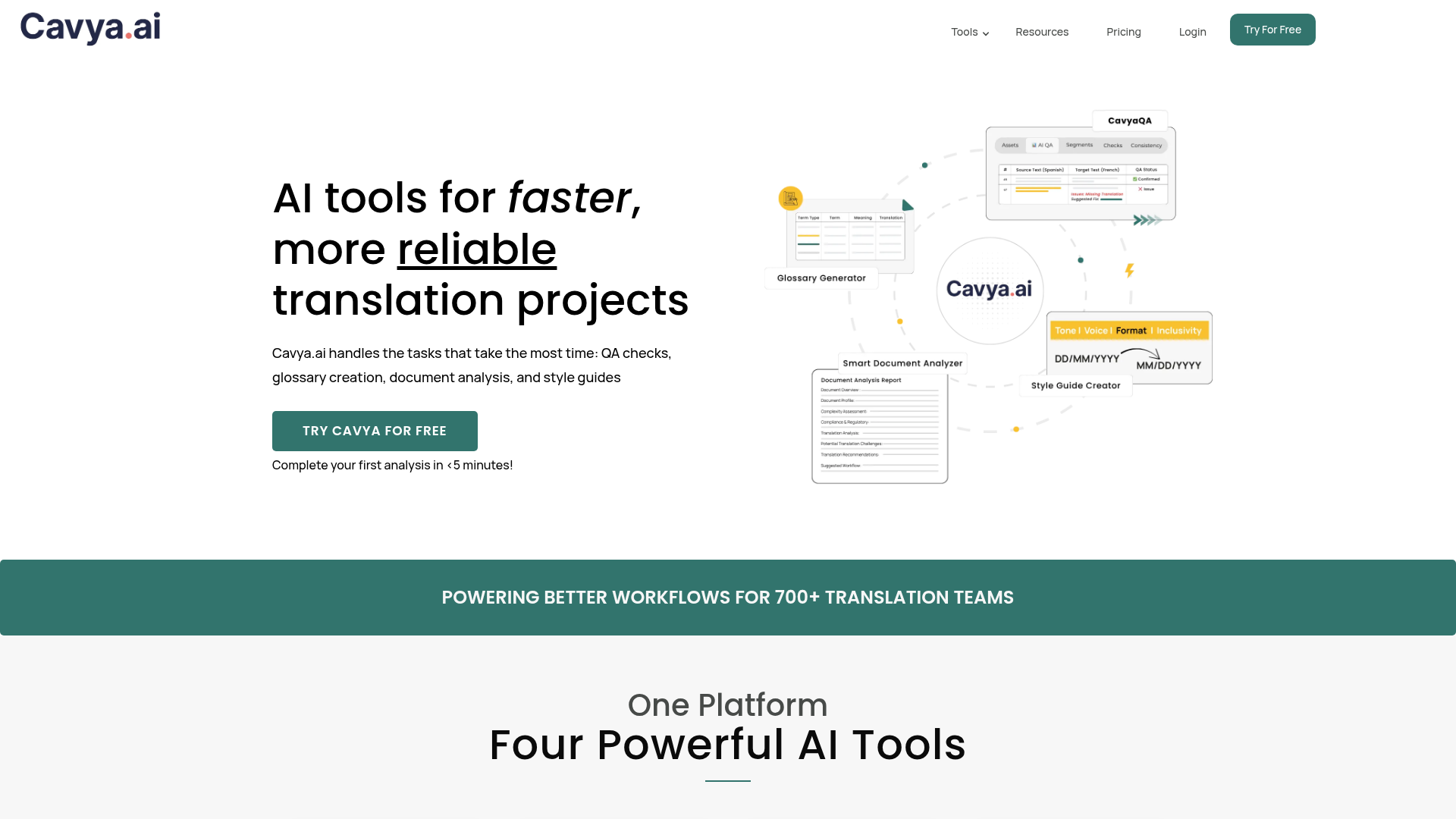
Captured: cavya.ai on 2026-08-31.
Four narrow tools, priced by the credit, that produce the prep artifacts most teams skip: a term glossary with context, a structured style guide as an editable Word file, a complexity read on the source document, and a QA pass over the finished translation. The credit model means you can test the whole set on 10 free credits before deciding, and localization managers or freelancers running multilingual projects will get real hours back. It is not a TMS, there are no integrations, and the generated glossary is a draft your native speaker still has to sign off on.
What it actually does.
Glossary generation with context
Pulls technical terms, product names, acronyms and regulatory references out of your document and attaches usage context to each one.
Term translation into 120+ languages
Generates target-language equivalents for extracted terms so your reviewer edits rather than starts blank.
Style Guide Creator
Scans your file and produces an editable Word style guide covering audience, tone, punctuation, dates, currency, measurements and brand names.
CavyaQA hybrid checks
Combines rule-based structural checks with context-aware AI review for grammar, inconsistency and tone, and proposes fixes instead of just flagging.
Style guide enforcement in QA
Checks a translation against your own style guide rules and flags deviations automatically.
Smart Document Analyzer
Identifies language, dialect, content type, structure and audience, then rates translation difficulty and the level of linguist expertise needed.
Cloud-based, no install
Everything runs in the browser, with documents encrypted and no third-party access according to the vendor.
How you would actually use it.
Concrete setups pulled from the research, not feature-list hand-waving.
Second-language launch prep
Product lead shipping into one new market
Upload your existing marketing and in-app copy, spend 1 credit on a glossary and 2 on a style guide, then hand both to your native-speaker reviewer as drafts to correct before any translation starts.
The translator receives agreed terminology and formatting rules on day one instead of inventing them mid-job.
Quote and scope a strange document
Agency project manager
Run the Document Analyzer on an incoming file for 1 credit to get content type, complexity, flagged risks and a recommendation on the type of linguist required.
A defensible scoping read in minutes, and fewer jobs assigned to the wrong specialist.
Pre-delivery QA sweep
Freelance translator working solo
Feed the finished translation plus your style guide into CavyaQA for 3 credits and work the flagged list of terminology, formatting and tone issues before sending the file.
Catches the consistency slips a self-review misses, with suggested corrections attached.
Consistency across a content backlog
Content team maintaining docs in several languages
Generate one glossary from your highest-authority source doc, have it validated once, then use it as the reference style guide rules for every subsequent QA run.
One canonical term list instead of per-file drift across translators.
Pricing, straight.
Granted after signup, no upfront payment; enough to test every tool at least once.
1 credit for glossary or document analysis, 2 for a style guide, 3 for CavyaQA. No subscription.
The relative costs are sensible and the lack of a subscription suits bursty project work, but the site does not publish what a credit actually costs, so you cannot model spend before signing up.
Pricing as captured on 2026-08-31. Check the live site before you commit.
What people online are saying.
Real reactions surfaced during research. Paraphrased faithfully, linked to source.
There is effectively no independent street reaction yet: the public trail is a vendor press release, vendor LinkedIn posts and a promotional-reading Reddit thread, with G2 showing a seller page rather than a body of reviews.
The launch press release carried by Slator frames CavyaQA as pairing AI linguistic review with standard QA checks, flagging mistranslations, awkward phrasing, inconsistent terminology, tone shifts and glossary deviations.
A tools subreddit post pitches it as something that will simplify the work of every translation project manager, generating a glossary with context plus a full style guide; it reads like promotion rather than a user report.
A roundup of AI tools for language professionals notes it can give a clear read for translators and project managers facing unfamiliar or complex technical content.
The field.
Broad localization management platform covering the whole translation workflow.
PICK IT WHENYou need project management, string handling and collaboration together, not just upstream prep.
Full localization platform with translation services attached.
PICK IT WHENYou want the translation delivery handled alongside the tooling rather than sourcing linguists yourself.
Translation and localization service platform centered on delivery workflows.
PICK IT WHENYour bottleneck is getting translations produced and routed, not preparing the reference material.
The honest part.
- No integrations listed, so nothing flows automatically into a CAT tool, TMS or repo; it is upload and download.
- Per-credit price is not published, only the credit costs per job, so budgeting requires signing up first.
- Uploads are limited to 15+ common file formats, which rules out exotic engineering or subtitle formats.
- Generated glossaries and style guides are drafts; without a native-speaker review pass you risk locking in confident-sounding wrong terms.
- Almost no independent public review volume yet, so quality claims rest largely on vendor material and launch coverage.
Getting started.
Time to first value: under 15 minutes
Sign up at app.cavya.ai and collect the 10 free credits.
Upload one real source document and run the Glossary Generator plus Document Analyzer (2 credits total).
Export the glossary, send it to your native-speaker reviewer for edits, then run a style guide off the same file.
Quick answers.
Does Cavya actually translate my content?
Not as its main job. It generates the prep artifacts and QA around translation, and it will produce term translations in 120+ languages for extracted glossary entries. The full-text translation and the human judgment still sit with your linguists.
What does a credit cost?
The site publishes what each job consumes (1 credit for a glossary or document analysis, 2 for a style guide, 3 for CavyaQA) but not the price per credit. You get 10 credits free after signing up, which is enough to run every tool at least once before you commit.
Can I trust the generated glossary without review?
Treat it as a draft. It extracts technical terms, product names, acronyms and regulatory references with context, which is the tedious part, but a native speaker should validate the terms and target-language equivalents before they become project law.
How does it handle document confidentiality?
The vendor states documents are encrypted, secured under strict NDAs, and not accessible to third parties. That is a claim from the company rather than an audited certification in the material available, so treat regulated or client-confidential files according to your own policy.
Spend the 10 free credits on one real document, compare the glossary against what your linguist would have written by hand, and let that gap decide. The prep stage is worth automating; just do not ship the output unedited.
Field research: 1 page scraped · 3 search passes · 16 community sources. Reviewed by the Koda desk on 2026-08-31.