The constraint is the pitch: Smart Slides refuse to let text drift or overflow, so a monthly review rebuilt from the same template looks the same in October as it did in September. That rigidity is exactly what the G2 critics complain about, and they are right that bespoke design is off the table. Adopt it for recurring, structured decks at $14.50 a month on the annual plan; skip it if the design is the deliverable.
Every slide obeys a layout grid whether you like it or not, and that single constraint is the entire product.
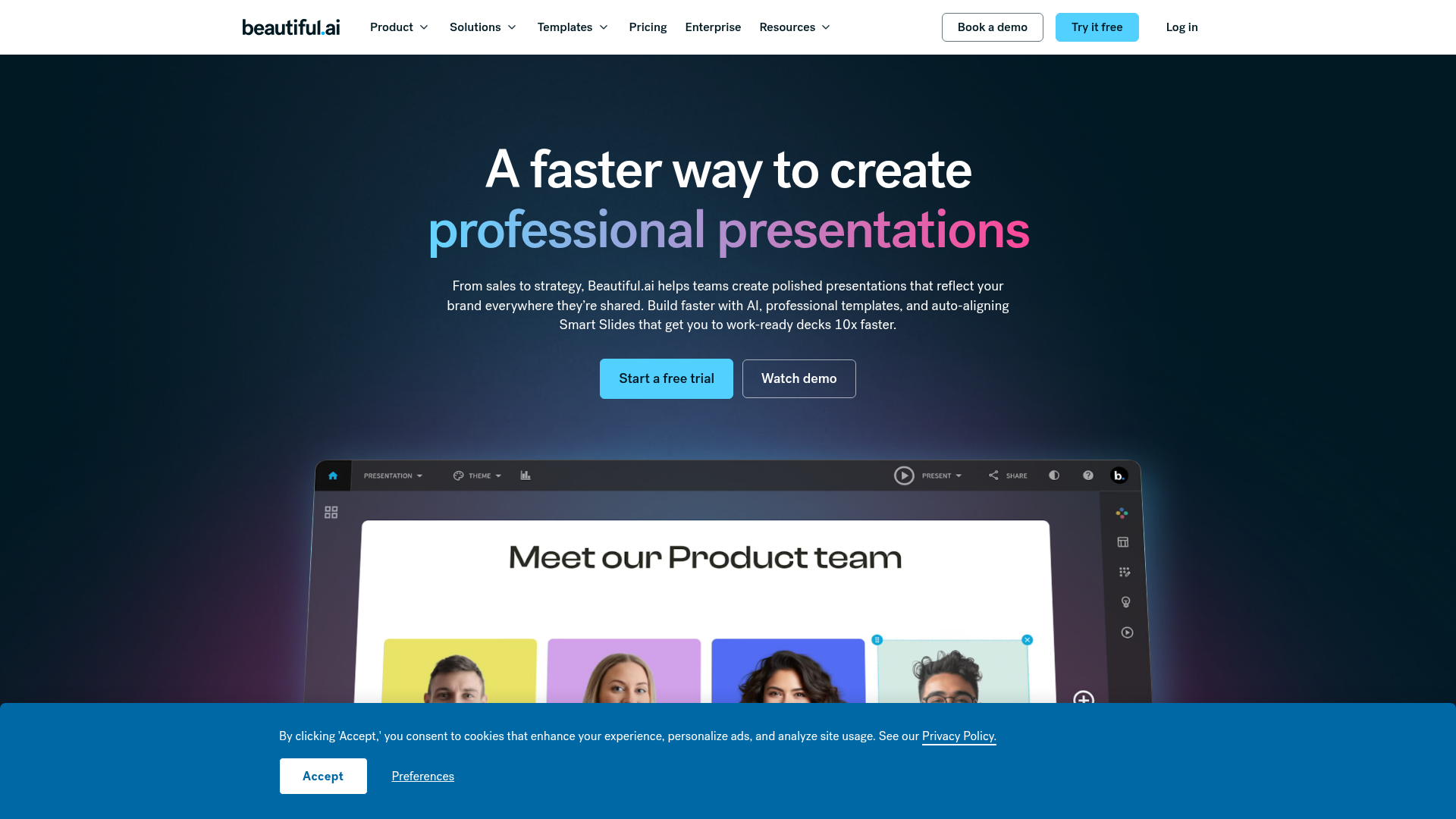
Captured: www.beautiful.ai on 2026-09-05.
The short version.
4 LINESSmart Slides rebalance spacing, alignment, and hierarchy automatically, so you add content and stop fixing text boxes.
Pro costs $14.50 a month billed annually or $45 for a single month; Team runs $40 to $50 per user with 2 to 20 seats.
Customization is deliberately limited, and reviewers on G2 call the output repetitive when you push past the templates.
Product Hunt reviews flag billing and cancellation problems, so read the terms before starting the 14-day trial.
What it actually does.
8 CAPABILITIES- Smart Slides auto-layout
- Over 300 layouts adjust spacing, alignment, and hierarchy in real time as you add or remove content.
- AI outline-first generation
- You edit and refine an outline before the AI generates slides, keeping you in control of structure.
- Custom theme builder
- Set brand colors, fonts, logos, icons, and footers once; every slide adapts and themes switch with one click.
- Dynamic data visualization
- Built-in charts and tables, with live data linking available on Team plans.
- Team library and locked slides
- Centralized slide and template library with version control and locked slides for shared decks.
- Engagement analytics
- Team plans track viewer and slide-level engagement with alerts and notifications.
- Multi-language output
- Create presentations in 100+ languages with on-demand slide translation.
- PowerPoint and Google Slides export
- Decks move out to PowerPoint and Google Slides, and there is a PowerPoint add-in.
How you would actually use it.
4 PLAYS- The locked monthly review
- Build one theme with brand colors and fonts, save the review as a template, and refill the same Smart Slides each month with new numbers and charts.WHOOps or finance leadPAYOFFConsistent decks in minutes, with no alignment cleanup between issues.
- Sales one-pager factory
- Store approved slides in the Team library with locked slides, then let reps assemble one-pagers from them and track viewer engagement.WHOSales enablement managerPAYOFFReps ship on-brand material fast and enablement sees which slides get read.
- AI-first draft, human-edited outline
- Feed a brief plus supporting files or links to the AI, edit the generated outline, then generate and switch themes per client with one click.WHOConsultant or agency account leadPAYOFFA presentable first draft without opening a blank slide.
- Creative team offload
- Push routine internal and sales decks to Beautiful.ai templates so designers only touch high-stakes work.WHOCreative directorPAYOFFPaciolan's creative director says it frees the creative team for work that actually needs them.
Pricing, straight.
4 TIERS- Verdict on the price
- The annual Pro price is reasonable for a tool that removes hours of formatting, but the $45 single-month rate and $40 to $50 per Team seat only pay off if you produce decks constantly.
What people online are saying.
5 QUOTEDReviewers broadly like the speed and polished output, but complaints cluster around limited customization, repetitive slides, and billing or cancellation friction, with one Reddit commenter going as far as calling it a scam.
Users consistently praise how easy it is to use and how professional the designs look, with smart templates saving significant time.
PraiseSome users dislike the limitations in customization options, which restrict design flexibility.
CritiqueMany reviewers reported billing problems, difficulty canceling, unexpected charges, and poor customer service.
CritiqueOne commenter bluntly called it a complete scam and told others to steer clear.
CritiqueThe honest part.
5 LIMITATIONSNo offline mode; full functionality requires an internet connection.
Advanced graphics editing is limited, so custom illustrations and fine-grained visual tweaks need another tool.
The layout rules that keep slides clean also block customization, and G2 reviewers describe output as repetitive.
Product Hunt reviewers report billing problems, difficulty canceling, and unexpected charges.
Team pricing at $40 to $50 per user is high for occasional presenters, and the SMB flat-rate plan is not priced publicly.
The field.
3 ALTERNATIVES- Gamma
- AI-first deck and document builder with looser layout rules.PICK IT WHENYou want more freedom to break the grid and generate decks from prompts without template constraints.
- Tome
- AI presentation tool oriented toward narrative and visual storytelling.PICK IT WHENThe deck is a story rather than a report and you care more about flow than fixed business layouts.
- Canva
- Broad design suite with presentation support and full manual control.PICK IT WHENYou need bespoke graphics, custom illustrations, or one design tool for everything beyond slides.
Getting started.
3 STEPSStart the 14-day free trial of Pro or Team at beautiful.ai/onboarding.
Open the theme builder and set your brand colors, fonts, logo, and footer once.
Generate a deck from an edited AI outline or pick Smart Slide layouts, then export to PowerPoint or Google Slides.
Quick answers.
4 ANSWERS- Can Beautiful.ai replace PowerPoint?
- For structured business decks, yes; Smart Slides handle the layout work PowerPoint leaves to you. It exports to PowerPoint and Google Slides and offers a PowerPoint add-in, so you are not locked in. Reviewers note it cannot match PowerPoint or Canva for detailed manual design.
- How much does it actually cost?
- Pro is $14.50 a month when billed annually, or $45 for a single month if you only need one deck. Team is $40 per user per month annually or $50 monthly for 2 to 20 seats, and Enterprise is custom. Everything starts with a 14-day free trial.
- Why are some reviews so negative?
- The loudest complaints on Product Hunt are about billing, cancellation difficulty, and customer service rather than the software itself. G2 reviewers add that customization is limited and slides can feel repetitive. Check the cancellation terms before the trial converts.
- Does it work offline?
- No. The site data lists no offline functionality and full features require an internet connection, so export a copy to PowerPoint if you present without reliable connectivity.
The bottom line.
SPECIMEN 0213 CLOSEDBuild one locked template, run three reports through it, and let the clock decide. Just read the cancellation terms before you hand over a card.
Field research: 2 pages scraped · 3 search passes · 24 community sources. Reviewed by the Koda desk on 2026-09-05.