- SPECIMEN
Skim Recap
- FILED AS
Chrome extension that summarizes the passage you scrolled past, on-device with Gemma 4
- INTAKE DATE
- 2026-09-15
- CLASS
- Productivity
- METHOD
- 1 page scraped, 3 search passes, 22 community sources
Koda Score = weighted blend: capability 35, ease 20, value 25, momentum 20.
Capability is solid for a narrow job but extraction gaps and the search-page blind spot hold it back; ease suffers from a multi-gigabyte download plus strict GPU and disk requirements; value is strong at zero dollars once your hardware qualifies; momentum reflects a 0.4.1 release, a Product Hunt top 25 spot, and only 14 store users a month after listing.
7 MIN READA 2.97 GB model download and a 22 GB disk requirement are the entry fee, and that single fact decides whether this belongs on your machine. Pay it and you get something no cloud summarizer offers: recaps scoped to the exact scroll you just made, an Explain button for undefined jargon, and zero account, API key, or hosted server. Heavy readers of long documentation on a WebGPU-capable laptop should install it today; anyone on a thin machine or who wants search-results summaries should wait for a later release.
Flick past 4,000 pixels of an essay and a Gemma 4 model running on your own GPU hands you back exactly that stretch, with no page text ever leaving the browser.
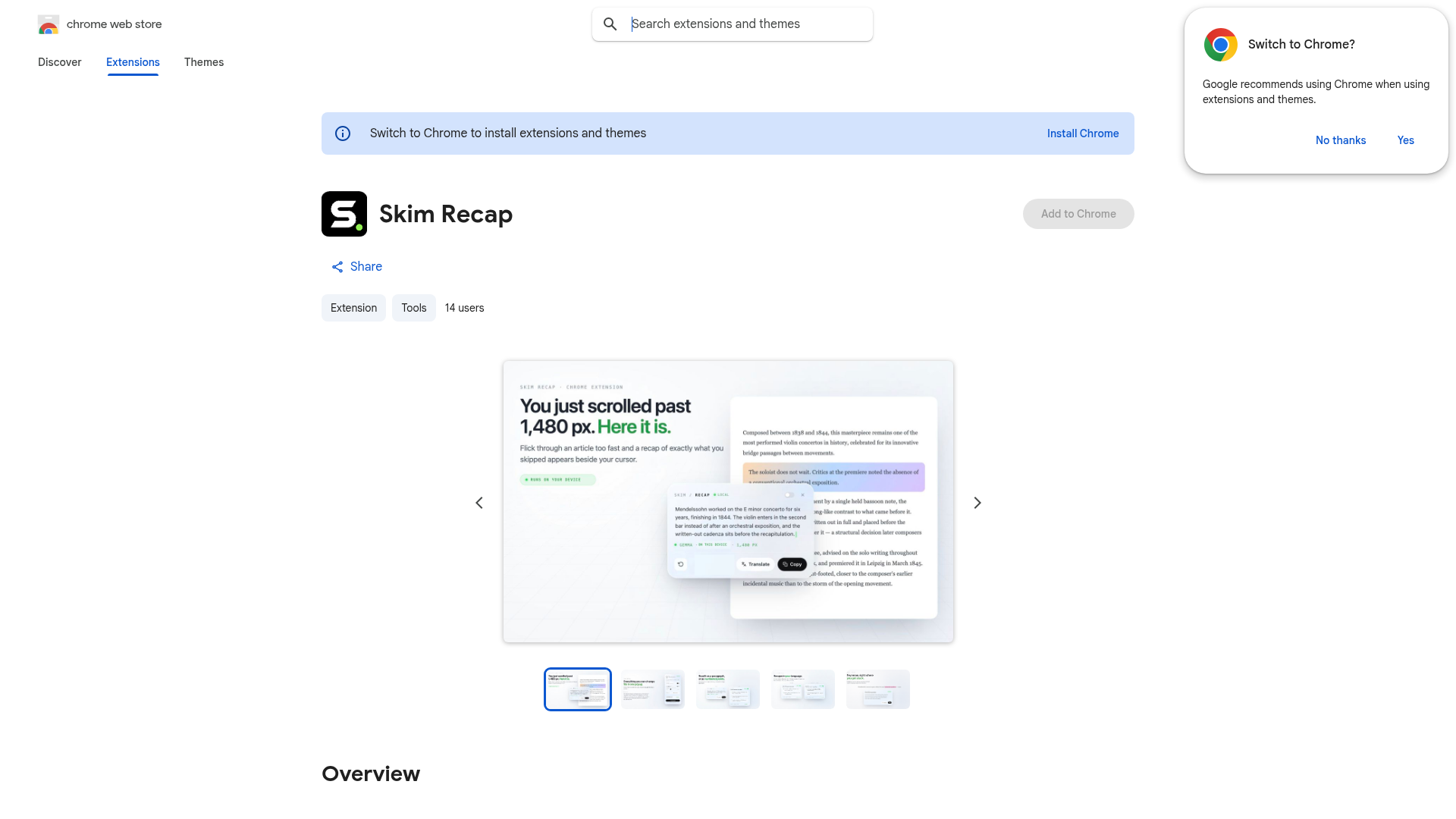
Captured: chromewebstore.google.com/detail/skim-recap/febndabjnmbmdodeoenjmnplfcalmnmc, the store listing, not the product itself.
The short version.
4 LINESIt recaps only the passage you just flicked past, not everything above your cursor, and the card shows the pixel distance it covered.
Summaries run locally via Gemma 4 on LiteRT-LM over WebGPU; no API key, no account, no text sent anywhere.
First use pulls a 2.97 GB model and you need roughly 22 GB free disk plus over 4 GB VRAM or 16 GB RAM.
It is free, but it cannot summarize search-results pages and may miss content inside generic page containers.
What it actually does.
7 CAPABILITIES- Flick detection
- Notices a fast scroll and recaps just the passage that scroll skipped, with an adjustable threshold for what counts as a flick.
- On-device Gemma 4
- Runs gemma-4-E4B-it through LiteRT-LM on WebGPU so article text never leaves the browser and no API key is required.
- Explain (Feynman) mode
- Select any word or phrase on the page or inside a recap and press Explain to get a definition the bounded recap could not provide; it never fires unasked.
- Noise filtering
- Ignores ads, navigation, and comment threads and excludes content you already read.
- Focus and Smart layouts
- Choose how the recap card appears beside your cursor, or view summaries in a floating panel.
- Recap translation
- Translates the generated recap so the summary can land in a different language than the article.
- Custom keyboard shortcuts
- Rebind the triggers so recap and Explain fit your existing reading habits.
How you would actually use it.
4 PLAYS- Docs speed-read
- Install, let the model cache, then scroll fast through reference sections you think you know; each flick produces a card covering only that stretch.WHODeveloper working through a long documentation pagePAYOFFYou catch the one config note you would have skipped without scrolling back up and losing your place.
- Jargon lift
- When a recap repeats a term the article never defines, select it and press Explain to get a contextual definition on the spot.WHOStudent or researcher reading dense essaysPAYOFFFewer tab switches to look things up, and the explanation stays tied to the passage you are in.
- Catch-up on research
- Flick through the sections you have already covered and read only the recaps of the parts you skipped, as the Facebook walkthrough frames it.WHOMarketer reviewing long reportsPAYOFFFaster re-entry into a long document without replaying every step.
- Private reading in another language
- Turn on recap translation so summaries arrive in your preferred language while the source text stays on your machine.WHONon-native reader on sensitive materialPAYOFFLocal summarization plus translation with nothing sent to a hosted service.
Pricing, straight.
1 TIER- Verdict on the price
- Zero dollars for a local language model in the browser is fair, but the real cost is hardware, so the value only exists if your machine already clears the WebGPU, memory, and disk bar.
What people online are saying.
0 QUOTEDToo new for a street reaction: the Chrome Web Store shows 14 users and no ratings, Product Hunt lists a single 4.0 review with no visible text, and the only surfaced discussion is the builder's own launch posts on r/SideProject and r/Gemma4, so we have no user quotes to report.
The honest part.
5 LIMITATIONSFirst use downloads a 2.97 GB model and the listing asks for about 22 GB of free disk plus over 4 GB VRAM or 16 GB system memory.
Requires WebGPU support, so older or locked-down machines are out.
Cannot summarize search-results pages at all.
May fail to extract text from generic page containers, so some sites will produce nothing.
A very long single scroll may not be fully covered by one recap.
The field.
3 ALTERNATIVES- Glarity
- Summarizer aimed at Google search results and YouTube videos.PICK IT WHENYou want instant summaries of search pages and video, which Skim Recap explicitly cannot do.
- Gist AI
- Tool for digesting whole websites and PDFs.PICK IT WHENYou need full-document or PDF digests rather than scroll-scoped recaps of a single article.
- Recap
- Broader AI knowledge and summarization product with Chrome and YouTube/web summaries.PICK IT WHENYou want a general recap tool across web and video and do not need on-device processing.
Getting started.
3 STEPSAdd to Chrome from the Web Store; no account or API key is needed.
Open a long article and trigger a fast scroll so the Gemma 4 model downloads and caches locally.
Flick past a passage to see the recap card beside your cursor, then select a term and press Explain to test the definition mode.
Quick answers.
4 ANSWERS- What hardware do I actually need?
- The store listing asks for WebGPU support, about 22 GB of free disk space, and either more than 4 GB of video memory or 16 GB of system memory. On first use it downloads a 2.97 GB model that is then cached. The builder states plainly that if your machine does not match, the extension may not be a good fit yet.
- Does any of my reading get sent to a server?
- No, according to the listing. Summaries are generated locally by Gemma 4 running on your GPU through LiteRT-LM, with no API key, no account, and no hosted summarization server, so article text is never sent anywhere for summarizing.
- Does it summarize the whole page above me?
- No, and that is the design. Each recap covers one flick only: scroll to 4,000 px and you get those 4,000 px, flick again to 8,000 and the next card covers just the new stretch. The pixel count on the card is that distance.
- Where does it break?
- It cannot summarize search-results pages, may not extract content inside generic containers, and a very long single scroll may not be fully covered. It also filters out ads, navigation, and comment threads by design, so do not expect recaps of those.
The bottom line.
SPECIMEN 0222 CLOSEDFree, private, and clever about scope, but it is a hardware commitment disguised as a browser extension. Check your VRAM before you click Add to Chrome.
Field research: 1 page scraped · 3 search passes · 22 community sources. Reviewed by the Koda desk on 2026-09-15.