- SPECIMEN
Sayonic
- FILED AS
A voice pill in your Mac's notch that opens apps, finds files and briefs coding agents
- INTAKE DATE
- 2026-10-10
- CLASS
- Voice
- METHOD
- 2 pages scraped, 3 search passes, 4 community sources
One pill covers apps, files, notes, calendar events, browser tabs and coding-agent handoff, a useful spread for a voice tool though narrower than an extension-driven launcher. THE RUNDOWN
Installing is a drag into Applications, yet the permission prompts plus an API key or Cloud sign-in add friction before the first spoken task. ZERO TO RUNNING
Every tier ships the full app, so the entry plan is a small bet for anyone already paying for model access. THE DAMAGE
The only traction signal is a Product Hunt launch with 71 upvotes and six comments, and no release history or user count is published, so momentum stays low. producthunt.com
Koda Score = weighted blend: capability 35, ease 20, value 25, momentum 20.
Sayonic's pricing page lists a $3.99 per Mac BYOK plan with every feature, so a voice layer that opens apps and tabs, files notes and calendar events, and briefs your coding agent costs little to try if you already pay for a model. Mac users who live in Finder searches and constant app switching will get the most from it, and developers can skip Cloud credits entirely. Give it a week of your own commands before committing to a yearly plan.
Sayonic parks a small voice pill in your Mac's notch, and when you talk to it, it does the task itself, down to handing work to the coding agent already on your machine.
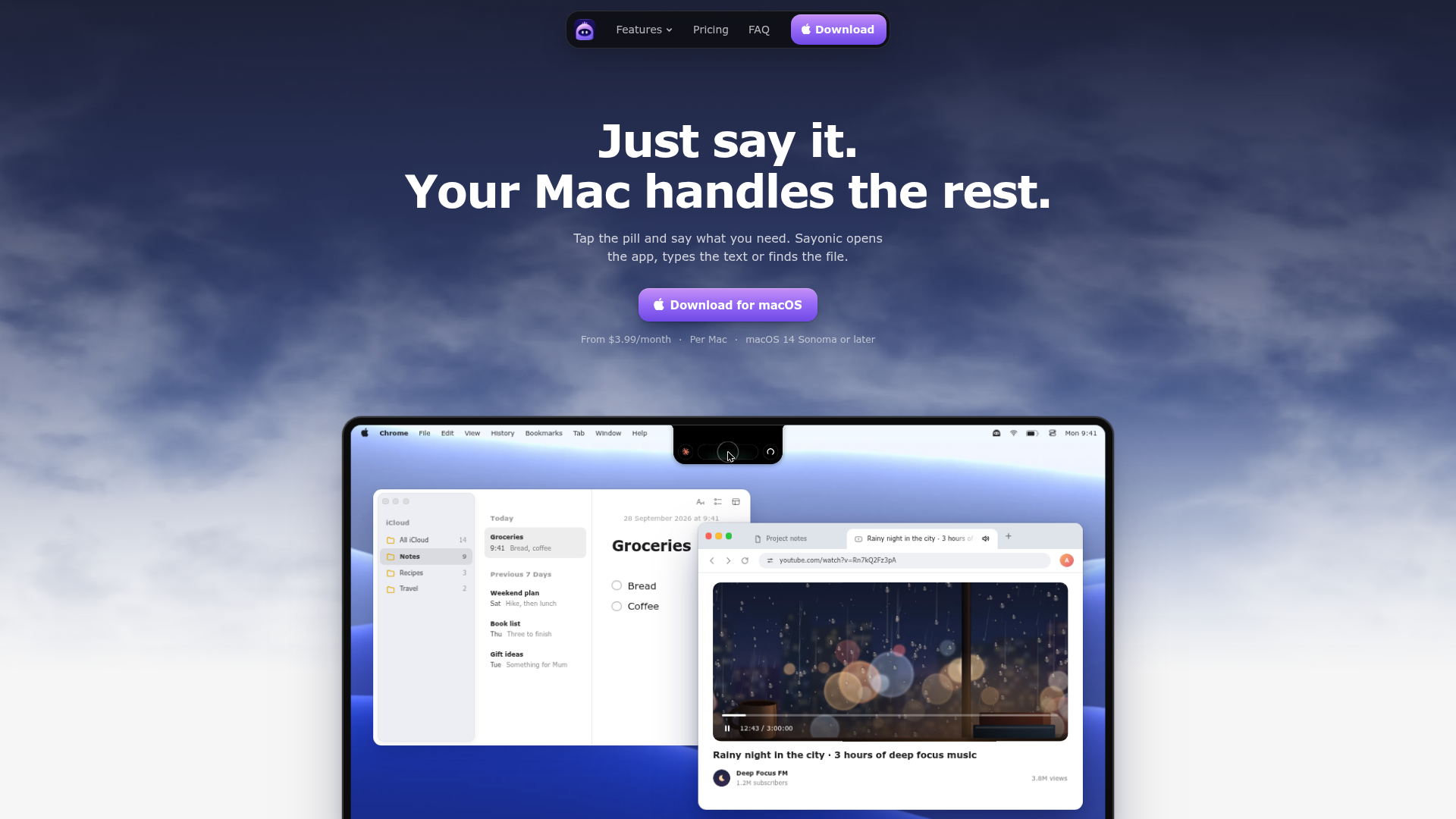
Captured: sayonic.app on 2026-10-10.
The short version.
4 LINESStart on BYOK if you already hold API keys or run a coding agent.
Choose Pro or Max only to skip key setup, and keep an eye on Live conversations, which burn Cloud credits by the minute.
Expect a round of macOS permission prompts on first launch before anything works.
Treat the first week as a trial, since public user feedback is close to nonexistent so far.
What it actually does.
7 CAPABILITIES- Notch or edge pill
- A small pill docks in the notch or along a screen edge and matches your Mac's appearance.
- Plain-speech commands
- You talk as you would to a person, second thoughts included, with no command syntax to memorize.
- File search by memory
- Ask for something like your September invoice and Sayonic locates the file and opens it.
- Calendar and Notes entries
- Spoken plans become Calendar events and quick notes land in the matching Apple Notes list.
- App and tab control
- It opens apps or sites in a chosen browser and can pause whichever tab is playing.
- Coding agent handoff
- Jobs can be routed to a coding agent or your own API keys, and you pick which brain powers it.
- Live conversation mode
- A back-and-forth dialogue mode that draws on Cloud credits when run through Sayonic Cloud.
How you would actually use it.
3 PLAYS- The five-moment test
- Log the five app switches or file hunts you repeat most, then trigger each one by voice every time it comes up for a week.WHOMac power usersPAYOFFA short list of moments where speaking beats the keyboard, and the ones to drop.
- Spoken handoff to your agent
- Keep the editor in focus, tap the pill and describe the change out loud so Sayonic passes it to the agent you already use on BYOK.WHODevelopers running a CLI coding agentPAYOFFCoding requests leave your head without a context switch, and no Cloud credits get spent.
- Pick a tier by talk time
- Stay on BYOK while you hold your own keys; move to Pro when you want Sayonic Cloud without keys, and step to Max once Live talk regularly outruns Pro's allowance.WHOIndividual buyersPAYOFFYou pay for credits you really burn each month.
Pricing, straight.
3 TIERS- Verdict on the price
- BYOK is fair for anyone with model access already, while the Cloud tiers suit people who mostly issue short commands, since Live talk eats credits quickly.
What people online are saying.
2 QUOTEDSayonic is too new for a street verdict; public reaction so far is one editorial review and a question on LinkedIn, on top of a modest Product Hunt launch.
An editorial verdict calls Sayonic a practical, privacy-conscious way to control a Mac by voice or text from a subtle on-screen pill, rating it 8 out of 10.
PraiseA LinkedIn user wondered how Sayonic decides when it should ask for permission and when it can safely complete an action by itself.
MixedThe honest part.
4 LIMITATIONSVoice and the AI brains need an internet connection, and the licence keeps working for only 7 days offline.
Sayonic understands English only.
It asks for microphone, screen recording, accessibility and automation access, which is a lot to grant a new app.
Billing and cancellation both run through PayPal.
The field.
3 ALTERNATIVES- Siri for macOS
- Apple's built-in voice assistant, included with the Mac.PICK IT WHENSimple voice requests are enough and you want no extra subscription.
- Raycast
- A mature Mac launcher with extensions and AI features.PICK IT WHENYou work from the keyboard and want a large extension ecosystem.
- Alfred
- A long-established keyboard-driven Mac productivity launcher.PICK IT WHENYou prefer typed commands and hand-built workflows over talking to your Mac.
Getting started.
4 STEPSDownload the free Sayonic.dmg from sayonic.app.
Open the disk image and drag Sayonic into Applications.
Launch it and grant the microphone and other macOS permissions it requests.
Add your API keys or coding agent on BYOK, or sign in to Sayonic Cloud in Settings on Pro or Max.
Quick answers.
4 ANSWERS- How fast do Cloud credits run out?
- Sayonic's pricing page says a Live conversation uses about 100 credits a minute and bigger requests cost more. Monthly credits lapse when the next batch arrives, while top-ups bought through PayPal, from $5 to $200 at a time, never expire.
- Can I use it without paying for Sayonic Cloud?
- Yes. The BYOK plan runs on your own API keys or a coding agent, and the maker's Product Hunt comments name Claude Code, Codex, Gemini CLI and local models as options.
- How many Macs does one subscription cover?
- One licence covers one Mac, though a single key activates every Mac you have licensed. Yearly billing costs ten months' price, and Cloud credits still arrive monthly.
- What does it see on my screen?
- Sayonic says it sees what is on your screen so it can work with the apps you already use, which is why it needs screen recording access. Its Product Hunt page states no analytics and no ads.
The bottom line.
SPECIMEN 0246 CLOSEDCheap enough to test and young enough that you have to verify it yourself: talk to it for a week and keep it only if it beats your hotkeys.
Field research: 2 pages scraped · 3 search passes · 4 community sources. Reviewed by the Koda desk on 2026-10-10.