- SPECIMEN
Eido
- FILED AS
Open-source macOS workspace that runs the Pi coding agent inside a Zed-based editor
- INTAKE DATE
- 2026-10-16
- CLASS
- Coding
- METHOD
- 3 pages scraped, 3 search passes, 1 community source
Project-aware chat, native editing with change review, browser and computer use, and agent permission settings cover the agent-workspace basics, though beta maturity and narrow language support hold it below the category leaders. THE RUNDOWN
There is no hosted signup; you install a beta build on macOS, connect a Pi model, and switch on Computer Use permissions by hand. ZERO TO RUNNING
The single published plan, Beta Test, costs nothing and already includes every listed capability. THE DAMAGE
Koda read 63 stars on 2026-10-16 from the GitHub API, with 3 releases in the last 90 days and the last release v0.0.1-beta3 on 2026-10-11; quick shipping, very small audience so far. github.com
Read by Koda: tony3liu/eido on GitHub, read 2026-10-16: 63 stars; 3 releases in the last 90 days; last release v0.0.1-beta3 on 2026-10-11. github.com
Koda Score = weighted blend: capability 35, ease 20, value 25, momentum 20.
Eido's pitch is legibility: the agent works inside a native editor, its file changes surface for inspection, and the source sits in a public repository you can audit. It is a one-maintainer beta with limited language support, so treat it as an afternoon experiment for Mac developers curious about Pi and keep it away from production work for now.
Eido puts the Pi coding agent inside a Zed-based Mac editor where its edits land in a review view, and every line of the app is readable on GitHub.
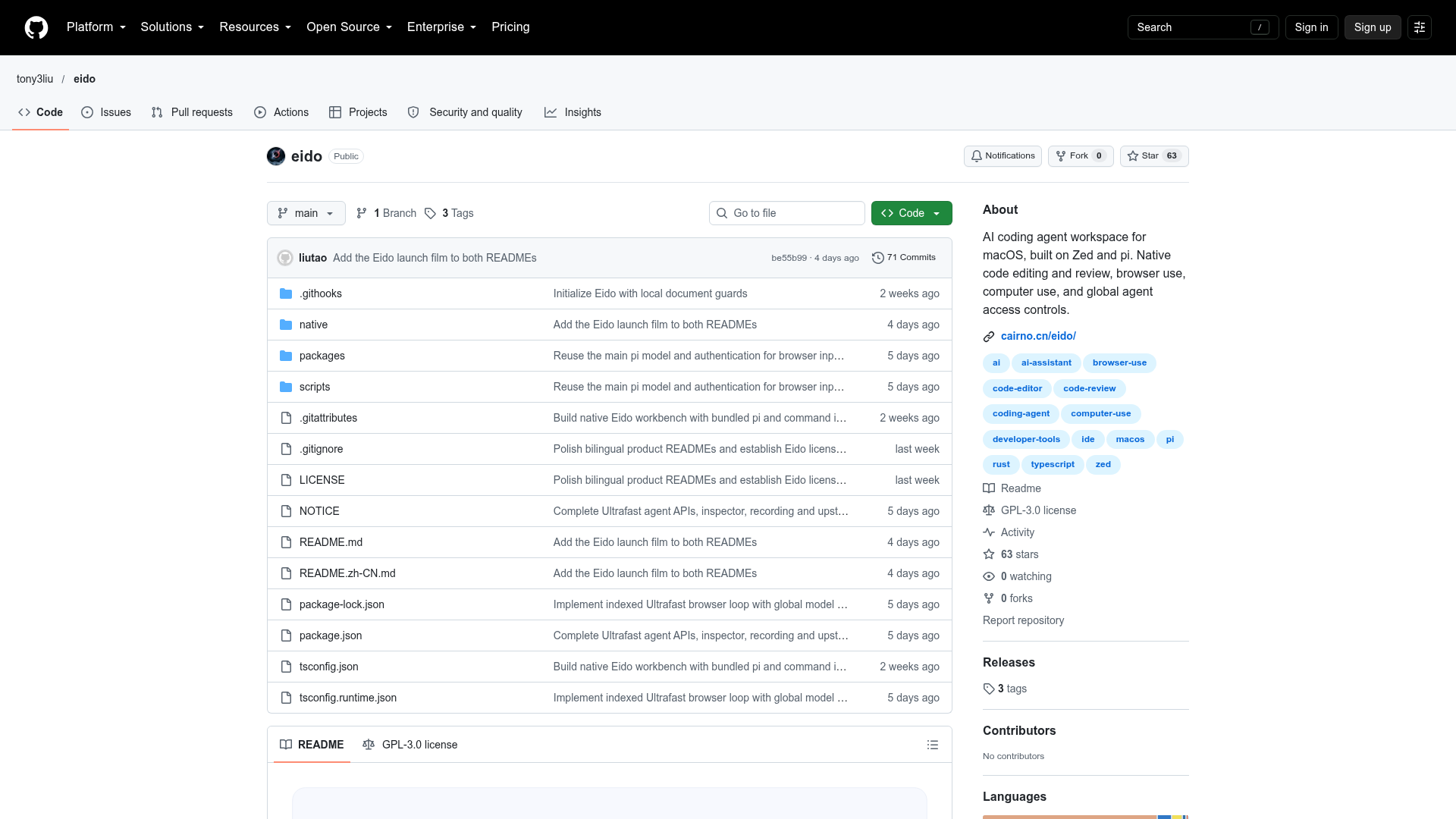
Captured: github.com/tony3liu/eido, the project's home, not a product screen.
Read this first.
3 LINESIt is a Mac-only beta that wraps Pi in a Zed-based editor with a built-in step for inspecting agent changes.
Start on a repository you know well, so you can tell a confident wrong answer from a right one.
Eido's own beta plan is free; your spend goes to whichever model provider you hook up to Pi.
What it can do.
6 CAPABILITIES- Project-aware chat
- Conversations with the agent carry context from the project you have open.
- Native editing and code review
- The agent edits files directly in the editor and its changes can be inspected before you keep them.
- Three layouts
- Workbench, Code, and Split views let you favor the agent, the editor, or both side by side.
- Task history and recovery
- Past agent tasks are kept, and supported file operations can be reviewed and recovered.
- Agent access controls
- Settings govern what the agent is allowed to touch on your machine.
- Browser and computer use
- The agent can drive a browser and, once you grant permission, operate the Mac itself.
Ways to run it.
3 PLAYS- Architecture quiz
- Point Eido at a mid-sized repository you could draw from memory and ask it to explain how the pieces fit; mark every claim right or wrong.WHODeveloper evaluating coding agentsPAYOFFA quick, honest read on whether the agent understands real structure or just summarizes file names.
- Small fix behind a review gate
- Hand the agent one small bug you already understand, watch it work in Split view, then step through each changed file in the review panel before committing anything.WHOSolo maintainerPAYOFFA judgment of code quality on a problem where you know the correct answer.
- Audit before private code
- Read the packages and native folders to trace how Eido handles files and model credentials; if you cannot follow the path, limit it to public repositories.WHOSecurity-minded team leadPAYOFFA trust decision based on the actual source, made before any sensitive code is exposed.
What it costs.
1 TIER- Verdict on the price
- Hard to argue with free for a beta, as long as you accept that stability and support carry no guarantees at this stage.
The street's view.
0 QUOTEDEido is too new for a street reaction; no public user reviews or discussion of the project could be found as of mid-October 2026, so there are no community quotes to report.
Where it breaks.
4 LIMITATIONSStill a beta, with version numbers at 0.0.1 and no stable release.
Language support is limited, so check your stack before investing time.
Runs on macOS only.
Computer Use stays off until you enable permissions manually, and the repo shows zero forks and a single maintainer.
What else to weigh.
2 ALTERNATIVES- Zed
- The fast open-source editor Eido is built on, with an agent panel that can host external agents including Pi.PICK IT WHENYou want the mature editor and its agent panel without a beta layer on top.
- OpenCode
- An open-source, provider-agnostic coding agent built around terminal workflows.PICK IT WHENYou live in the terminal and care most about swapping model providers freely.
First hour.
4 STEPSGrab the latest beta release from the GitHub repository, or clone it to build locally on macOS.
Configure the bundled Pi agent with a model and its authentication.
Enable Computer Use permissions in macOS if you want the agent to operate the machine.
Open a project and start a conversation in Workbench or Split view.
The questions people ask.
2 ANSWERS- Which model does Eido use?
- Eido ships with the Pi coding agent and uses whatever model you configure in Pi. A recent commit makes browser text input reuse the main Pi model and authentication by default, so one setup covers both.
- What is Pi like as the underlying agent?
- A HackerNoon comparison describes Pi as deliberately minimal, built around four core tools for reading, writing, editing and running bash, with support for many model providers. That minimalism is what Eido builds its editor workspace around.
The call.
SPECIMEN 0252 CLOSEDClone it, give it a codebase you can grade, and let the review panel tell you whether Pi's edits earn a second session.
Field research: 3 pages scraped · 3 search passes · 1 community source. Reviewed by the Koda desk on 2026-10-16.