- SPECIMEN
Android Studio Rabbit 2
- FILED AS
Google's Android IDE, now able to host 40+ ACP-compatible coding agents
- INTAKE DATE
- 2026-10-30
- CLASS
- Coding
- METHOD
- 4 pages scraped, 3 search passes, 8 community sources
Hosting dozens of third-party agents next to the emulator, device streaming and Compose tooling covers more of the Android loop than a general AI editor does. THE RUNDOWN
Getting started is a download and an install, yet early adopters describe Gradle sync failures and an IDE they had to force-quit, which slows the path to productive work. THE STREET
Google lists the IDE at $0 on its Free plan, so the only spend is whatever the agent you connect charges. THE DAMAGE
Google's Android Dev Summit post presents Bring Your Own Agent as stable after Canary and RC builds, but no dated traction figure such as a release count appears on the pages read, so momentum holds at 6.0. developer.android.com
Koda Score = weighted blend: capability 35, ease 20, value 25, momentum 20.
Bring Your Own Agent turns Android Studio into a neutral test bench: Google says Rabbit 2 connects to more than 40 ACP-compatible coding agents. The weak spot is the IDE underneath, because the few independent user reports describe crashes and broken syncs. Android teams shopping for an agent should install it on a side branch now and pick their standard agent after a real trial.
Android Studio Rabbit 2 lets Claude Agent, Codex and Antigravity work on your Android project without you leaving Google's IDE.
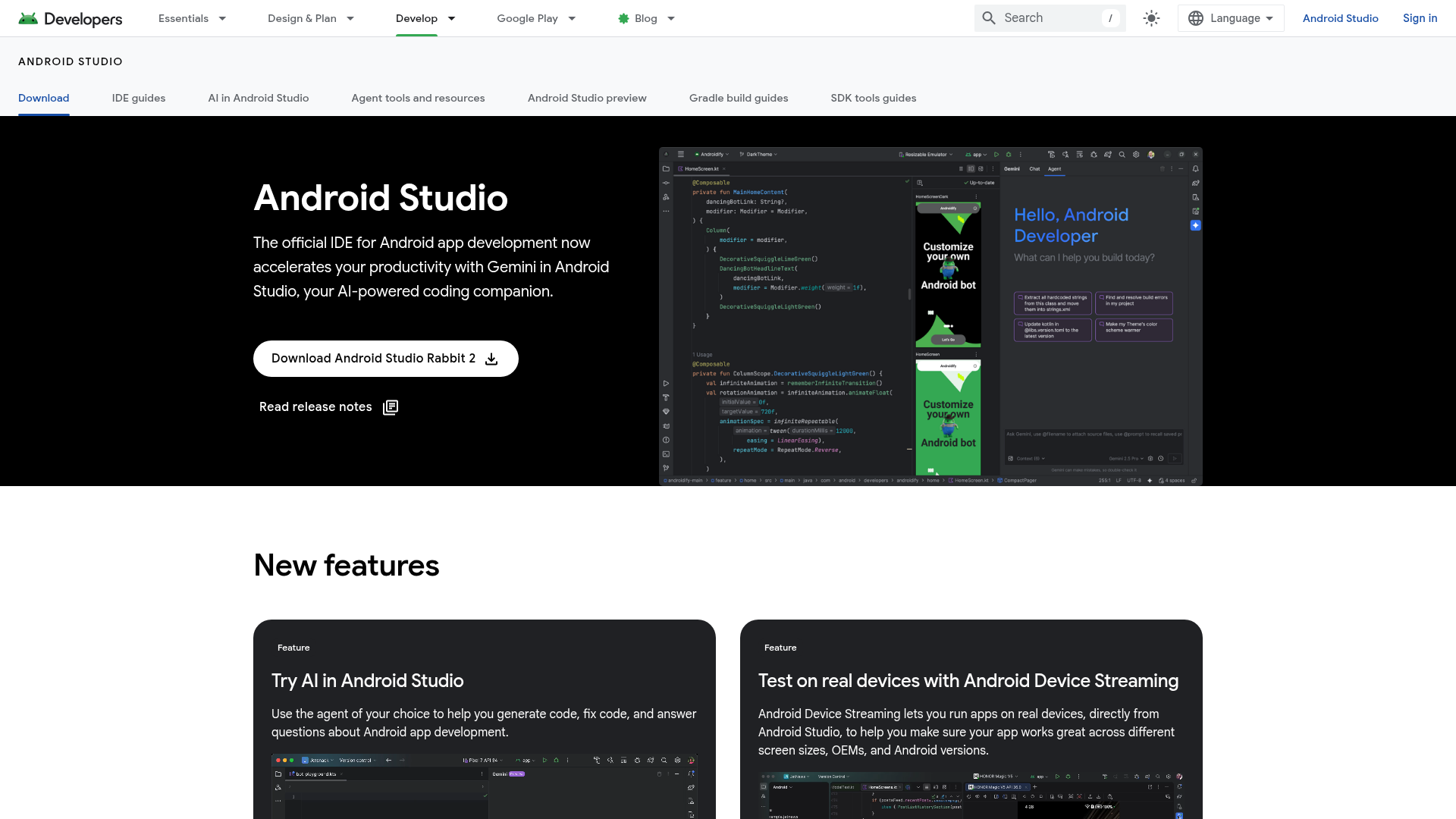
Captured: developer.android.com/studio on 2026-10-30.
The short version.
4 LINESGoogle's Android Developers blog describes Bring Your Own Agent in Rabbit 2 as stable and ready for production use.
Upgrade a throwaway branch first and confirm your project syncs before moving the whole team.
Lean on Change Review when an agent produces a large edit you would never read line by line.
Treat the agent APIs as a separate track: they are for building AI features into your app, distinct from the coding agents in the editor.
What it actually does.
6 CAPABILITIES- Bring Your Own Agent
- Plug any of 40+ ACP-compatible coding agents, including Junie, into the editor and swap between them.
- Change Review
- Inspect large agent-generated changes inside the IDE before accepting them.
- Agent-oriented Android APIs
- New APIs for building AI features directly into Android apps.
- Android Device Streaming
- Run your app on real devices from the IDE to check different screen sizes, OEMs and Android versions.
- Compose design tools
- Preview Jetpack Compose layouts on any screen size and inspect animations, with Live Edit reflecting code changes immediately.
- Gradle build system with Build Analyzer
- Generate multiple build variants from one project and find where build issues come from.
How you would actually use it.
2 PLAYS- Two-agent diff bake-off
- Pick one real ticket from your backlog, hand the identical request to two different agents in the same IDE session, and review both diffs in Change Review.WHOAndroid tech lead picking a team standardPAYOFFA choice of agent based on your own codebase, made without switching editors or migrating settings.
- Hold-the-upgrade rule
- Keep production work on your current IDE build and move to Rabbit 2 only once a branch syncs, builds and survives a normal working day on it.WHOKotlin Multiplatform teamPAYOFFAccess to the agent features without betting a release week on an IDE that some early users found unstable.
Pricing, straight.
1 TIER- Verdict on the price
- The Free plan is the whole offer and it is generous; the outside agents you connect carry their own terms, which the pages read here do not list.
What people online are saying.
3 QUOTEDIndependent reaction is thin so far, and the concrete user reports on Reddit lean negative on stability while the praise comes mostly from Google and the press.
Called Rabbit 2 a mess: code analysis still missing during commits, garbage collection trouble, and force-quitting the IDE several times a day on a Kotlin Multiplatform project.
CritiqueAdvised holding off on the canary after Gradle sync broke their project following the upgrade.
CritiqueSingled out Change Review as a useful addition because it helps developers make sense of big agent-written changes instead of checking them entirely by hand.
PraiseThe honest part.
4 LIMITATIONSNo direct support for iOS development, so cross-platform teams still need a second toolchain.
Requires a Java SDK installation and acceptance of Google's license agreement.
The pages read list no cost for the third-party agents, so budget for those separately.
No independent source yet reports running the two-agent comparison workflow in practice.
The field.
2 ALTERNATIVES- Cursor
- A standalone AI-first code editor built around agent workflows.PICK IT WHENPick it when the AI editing experience matters more to you than native Android project, emulator and SDK integration.
- Visual Studio Code with agent extensions
- A flexible editor that can mix several AI coding agents through extensions.PICK IT WHENPick it when most of your work sits outside Android and you want one editor for every stack.
Getting started.
4 STEPSDownload Android Studio Rabbit 2 from developer.android.com/studio.
Install it and open an existing Android project, letting Gradle sync finish.
Open AI in Android Studio and select the ACP-compatible agent you want to use.
Give the agent a coding request and look over its output in Change Review.
Quick answers.
2 ANSWERS- Does Rabbit 2 cost anything to use?
- Google lists Android Studio on a single Free plan at $0, and that includes its own AI coding assistant. Any third-party agent you connect may have its own charges, and the pages read show none of them.
- Is Rabbit 2 safe to adopt on a production project?
- Google labels the release stable. On r/androiddev, though, users describe Gradle sync failures after upgrading and an unstable IDE on larger projects, so a branch trial is the prudent first move.
The bottom line.
SPECIMEN 0265 CLOSEDIt costs nothing to download and makes an excellent bake-off rig for coding agents. Keep your current Android Studio build installed until your own project builds cleanly on this one.
Field research: 4 pages scraped · 3 search passes · 8 community sources. Reviewed by the Koda desk on 2026-10-30.