The Lab · Coding
ML.ai
Coding agent across desktop, IDE and CLI, priced by parallel jobs
ML.ai claims to carry an issue from bug reproduction to an open pull request, and it will not merge a line until you approve it.
The verdict
The interesting bet in ML.ai is pricing by concurrency: its pricing page charges $10 a month for two sandboxed jobs running at once and shows no token meter at all. Nobody outside the company has published hands-on reports yet, so treat the autonomy claims as untested and start on the cheapest plan. Solo builders with a backlog of small, well-tested bugs are the people most likely to get their money back.
- Good for
- Solo builders with side projects; Developers juggling parallel tickets
- Skip it if
- Teams needing data residency on a budget; Buyers who require third-party reviews first
- Costs
- Paid from $10/mo; Team $29/seat/mo; Enterprise custom1
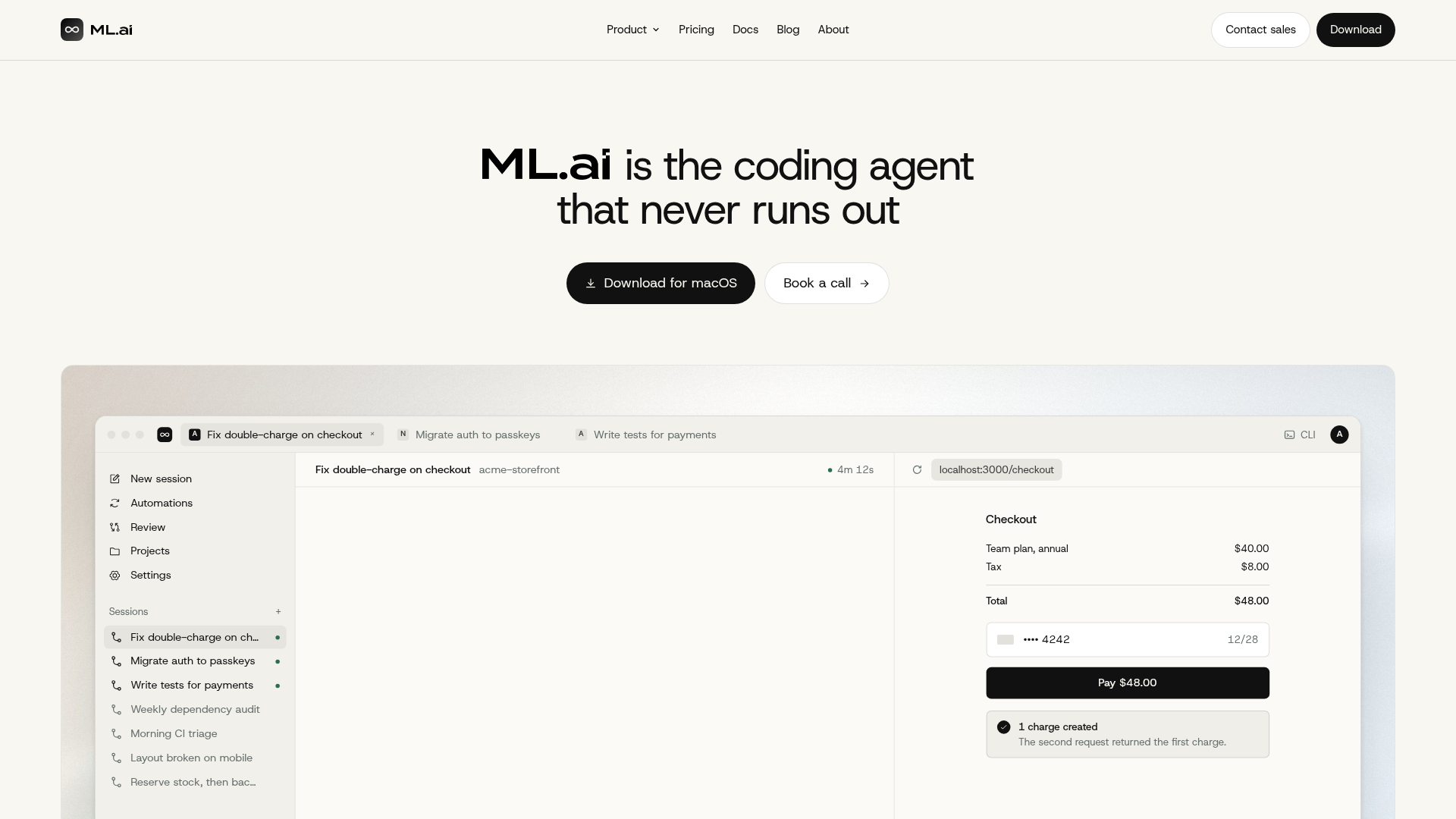
What it does
As ML.ai describes it.1
- Issue-to-PR runs
- Takes an issue, reproduces the bug, edits the code, runs your tests and opens a pull request.
- Parallel sandboxed jobs
- Runs from 2 to 20 jobs at once depending on plan, each isolated in its own sandbox.
- Automatic model routing
- Picks a model per task, and Pro or higher plans use the highest-effort models on every step.
- Attached verification checks
- The homepage demo shows typecheck, lint, unit tests, a load test and a dependency and secret scan reported with each result.
- Shared task state
- One account links every surface, so a task started in the terminal can be checked from your editor.
- Scheduled routines
- Pro and higher plans can run routines on a schedule and connect through a GitHub app.
Ways to put it to work
The covered-bug test · for the solo builder on Infinite
Pick a bug that an existing failing test already reproduces, hand ML.ai the issue, and go through every changed line before approving.
You get: A cheap, falsifiable read on whether the agent's fixes survive your own review.
Parallel backlog sweep · for the professional on Infinite Pro
Queue six small, independent tickets at once with one pull request each, and move up to Max only if jobs routinely wait for a free slot.
You get: Proof of whether the parallel capacity you pay for actually shortens your week.
What it costs
| Plan | Price | Includes |
|---|---|---|
| InfiniteOur pick | $10/mo | 2 jobs in parallel; auto model routing and no visible token budget |
| Infinite Pro | $20/mo | 6 jobs in parallel; highest-effort models on every step plus scheduled routines and GitHub app |
| Infinite Max | $40/mo | 20 jobs in parallel; priority queue at peak hours and early access to new models |
| Team | $29/seat/mo | Pro-level parallel jobs with shared Skills, central approval controls, SSO and audit log; billed annually, 5-seat minimum |
Prices from ml.ai on 1 November 2026.1
Our take: Infinite at $10 is a fair price to find out whether the agent's diffs hold up, and the upgrade only makes sense once two concurrent jobs become your bottleneck.
Our math for a team of 5: Team, $145 a month. $29 per seat x 5 seats = $145 a month. Team is priced per seat; the team pays for 5.
What people say
ML.ai is too new for a public reaction; no user reviews or ratings could be found, only vendor and comparison pages.
Where it falls short
- The only desktop app listed is for macOS.
- No public user reviews or independent benchmarks exist, so the end-to-end claims are unverified.
- The plans promise no visible token budget, and ML.ai does not explain how heavy use is handled beyond a peak-hour priority queue on Max.
- Job isolation may restrict data sharing between jobs, so tasks that depend on each other need sequencing.
Your first hour
- Sign in at ML.ai and choose a plan
- Download the macOS app or install the VS Code or JetBrains extension
- Connect a Git repository and describe a task
- Review the checks and changes, then approve the pull request
If it isn't the fit
Claude Code2 · Anthropic's terminal coding agent
Pick it when choose it for deep debugging and hard refactors, the strengths ML.ai's own comparison post concedes to it.
Questions
- Will ML.ai merge code on its own?
- No. ML.ai states it does not merge pull requests without user approval, and its demo shows each PR held open for review.
- Can I use my own models or keep data in a specific region?
- Only on Enterprise, which adds bring-your-own model endpoints, data residency and private routing. That tier runs on a negotiated annual contract.
The call
Buy one month, give it a bug your test suite already catches, and judge it only on the pull request it hands back.
How we scored it
Four scores out of 10, weighted and added. The weights are the same for every tool.
Capability7.0 × 35% = 2.45
The feature set covers full issue-to-PR runs with typecheck, test and scan results attached, but every one of those claims comes from ML.ai's own demo. What it does
Ease of use7.5 × 20% = 1.50
Getting started is a sign-in plus an app or extension install, though the only desktop build on offer targets macOS. Your first hour
Value7.5 × 25% = 1.88
Ten dollars buys the full agent with two concurrent jobs and no token meter, cheap enough to trial without a procurement fight. What it costs
Momentum4.0 × 20% = 0.80
No dated traction figure and no public user reviews of ML.ai exist yet, so momentum rests on vendor claims alone. What people say
Koda score6.6
The parts add to 6.63, rounded half up to one decimal.
Sources
- 1ML.ai · ml.ai, read 1 November 2026: prices, capabilitiesReported
- 2Claude Code · anthropic.com, read 1 November 2026: what it isReported
- 3Cursor · cursor.com, read 1 November 2026: what it isReported
How this review was made
We read 2 pages of ml.ai and ran 3 searches. Prices were captured on 1 November 2026. Prices and product claims are reported as their source published them. The four scores are the Koda Lab's judgement; per-user prices and the total are our math.
How we scoreCorrectionsLAB REPORT 267