The Lab · Coding
Beacon
Open-source memory layer that carries coding-agent context across sessions and tools
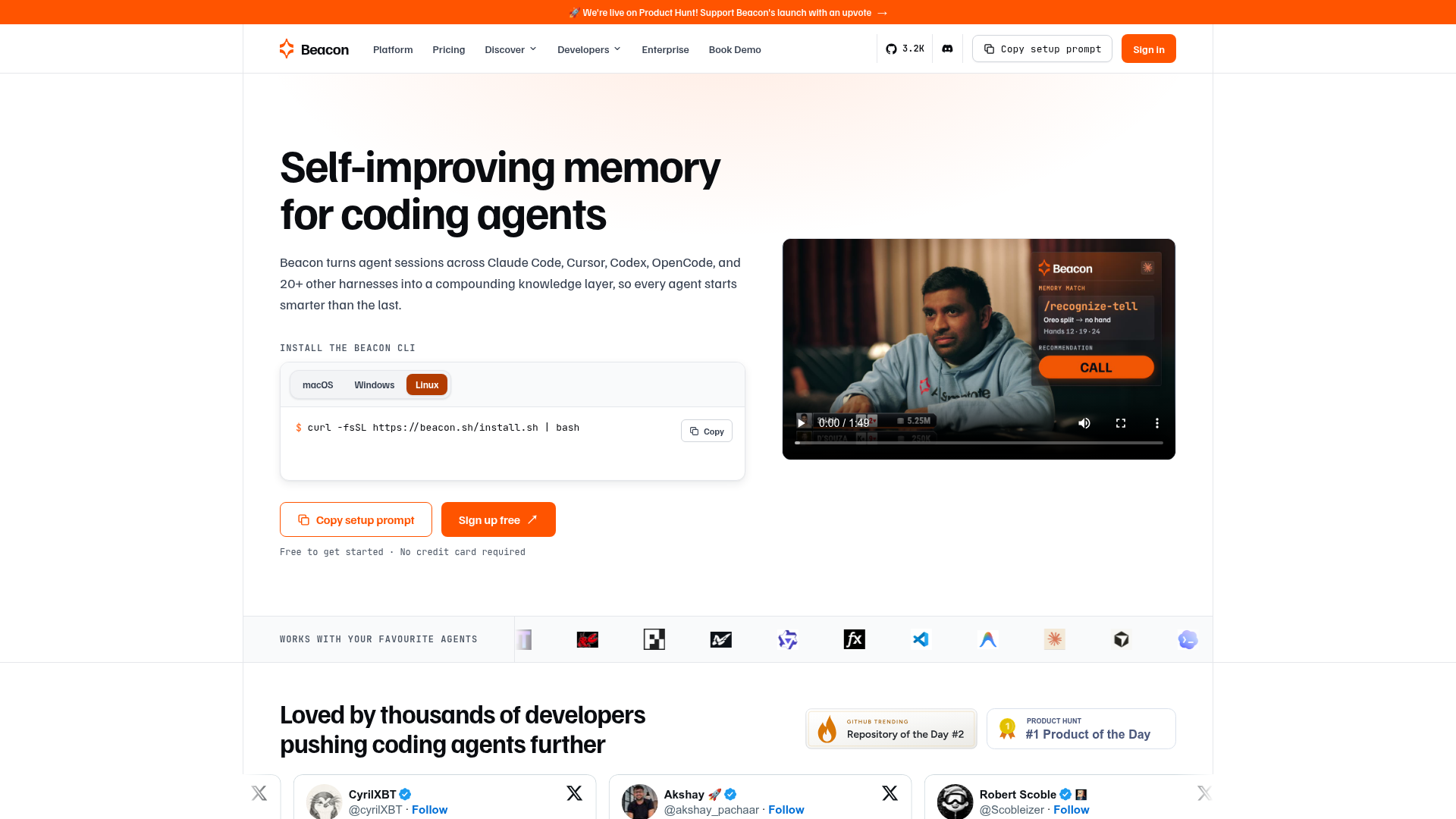
Beacon says it records sessions across 20+ coding-agent harnesses and lets the next agent search them over MCP, so you can stop retyping your architecture at the start of every chat.
The verdict
Beacon's real trick is portability: a session recorded in Claude Code becomes context that Cursor or Codex can search over MCP the next day. The catch is that memories agents write for themselves live in the paid Pro tier, and no one has published numbers on what any of it saves. Developers juggling more than one agent should run the free tier on a real repo now and pay only once it passes a recall test.
- Good for
- Developers who switch between coding agents; Teams running several AI coding assistants
- Skip it if
- Buyers who need benchmarks first; Non-coding agent workflows
- Costs
- Free tier, paid from $20/mo billed annually1
What it does
As Beacon describes it.1
- Cross-harness session capture
- Records coding sessions from 20+ agent harnesses into one timeline spanning your agents and machines.
- Session search over MCP
- Lets agents query your past sessions through MCP, available even on the $0 Cloud tier.
- Agent memories
- Agents save memories and pull them back later over MCP on Pro and above.
- Findings to skills
- Surfaces findings about risks and habits, then converts one into a skill or fix prompt with a click.
- Token spend view
- Shows where your token spend goes across connected agents.
- Session sharing
- Shares any recorded session through a link.
- Open-source CLI
- Installs as an open-source CLI via a curl script or a Homebrew tap.
Ways to put it to work
The overnight recall test · for the solo developer on one active repo
Spend one session settling a convention with Claude Code, close it, and open a fresh chat the next day; ask the agent what the convention is without pasting anything back in.
You get: A yes-or-no answer on whether Beacon earns a place in your setup.
The tool hop · for the developer splitting work between Claude Code and Cursor
Start a refactor in Claude Code, then finish it in Cursor and have Cursor search the earlier session over MCP before it touches a file.
You get: Cursor picks up the decisions already made, so the handoff skips the re-briefing.
The skill gate · for the team lead piloting Beacon
Promote a finding to a shared skill only after it has held up on two separate tasks, and delete any skill that originated in a different repository.
You get: A skill library that grows slowly and keeps one codebase's workaround out of another.
What it costs
| Plan | Price | Includes |
|---|---|---|
| Beacon Cloud | $0/mo | Free forever; 50 findings included, session search over MCP |
| Beacon Cloud ProOur pick | $20/mo | Billed annually, save 25%; unlimited findings, memories agents save and recall over MCP |
| Beacon Cloud Team | $30/seat/mo | Billed annually, plus $10/month base fee, up to 20 seats |
| Enterprise | Custom | SSO and audit logs, plus your own bucket and region |
Prices from beacon.sh on 4 November 2026.1
Our take: Pro is the tier to judge, because that is where saved agent memory lives, and its price is modest if your recall test passes.
Our math for a team of 5: Beacon Cloud Team, $150 a month. $30 per seat x 5 seats = $150 a month. Beacon Cloud Team is priced per seat; the team pays for 5.
What people say
Reaction so far is a small batch of Product Hunt launch comments that like the cross-tool idea and want proof that memory stays correctly scoped.
Switching between Claude Code and Cursor means the second tool starts from zero, so portable memory and reusable skills from past sessions are the appeal.
Asked whether memories are scoped per repository, since a workaround valid in one codebase could be wrong in another.
Where it falls short
- No published benchmarks quantify token or cost savings.
- Per-branch scoping is undocumented, so a fix that only works on main could surface on other branches.
- Beacon gives no public account of how it retires stale or contradictory learnings.
- Skills depend on you reviewing them; Beacon lists this as a limitation itself.
- The pricing page conflicts on Team: $30/seat/month in the tier card, $40/seat/mo in the compare table.
Your first hour
- Run curl -fsSL https://beacon.sh/install.sh | bash, or on macOS use brew tap asymptote-labs/tap then brew install beacon.
- Run beacon endpoint install; it signs you in through beacon.sh and lets you pick Beacon Cloud or Local.
- Work a normal session in Claude Code or another supported agent so Beacon has something to record.
- Open a new session and have the agent search the earlier one over MCP.
If it isn't the fit
Mem04 · General memory layer for AI applications and agents
Pick it when you are building memory into your own AI app and coding sessions are not the focus.
GitHub Copilot5 · Copilot's coding agent with its own memory and custom instructions
Pick it when your team lives in GitHub and one assistant's memory is enough.
Questions
- Does the free tier give my agents persistent memory?
- Partly. Beacon Cloud at $0 lets agents search your past sessions over MCP. Memories that agents save for later, plus skills pulled straight from your sessions, appear only from Pro upward.
- Can I keep my session data local?
- SkillsLLM's listing describes Beacon as open source and local-first, with endpoint setup that preselects Beacon Cloud but offers an explicit Local choice. Enterprise adds hosting in a bucket and region you control.
- Which agents does it work with?
- Beacon's homepage counts 20+ harnesses. Beyond the big names, its logo wall includes Kiro, Devin, OpenHands and Qwen Code.
- Is there a trial for the paid plans?
- Pro and Team both carry a Start a free trial button on the pricing page, though the trial length is not stated there. Both plans are billed annually.
The call
Free to try and cheap to drop; give Beacon one repo for a week and upgrade only if your agents stop asking about things they already learned.
How we scored it
Four scores out of 10, weighted and added. The weights are the same for every tool.
Capability6.5 × 35% = 2.28
Session capture across many harnesses, MCP search and finding-to-skill conversion make a broad toolkit, though nothing public shows the memory improves agent output. What it does
Ease of use7.5 × 20% = 1.50
A one-line install followed by an interactive endpoint setup that offers a Local option gets the first session recorded with little friction. Your first hour
Value7.0 × 25% = 1.75
The $0 Cloud tier is generous on capture and session search, while the saved-memory feature the pitch centers on starts at the paid Pro tier. What it costs
Momentum5.5 × 20% = 1.10
Public reaction amounts to a handful of Product Hunt launch comments, and the GitHub star counts quoted around the web carry no date, so traction cannot be pinned to a dated figure yet.2
Koda score6.6
The parts add to 6.63, rounded half up to one decimal.
Sources
- 1Beacon · beacon.sh, read 4 November 2026: prices, capabilitiesReported
- 2Product Hunt · producthunt.com, read 4 November 2026: the reviewer paraphrased under What people say, momentum evidenceReported
- 3roipad.com · read 4 November 2026: the reviewer paraphrased under What people sayReported
- 4Mem0 · mem0.ai, read 4 November 2026: what it isReported
- 5GitHub Copilot · github.com, read 4 November 2026: what it isReported
Also read, not quoted: explainx.ai, linkedin.com, skillsllm.com.
How this review was made
We read 2 pages of beacon.sh, ran 3 searches and read 6 community posts. Prices were captured on 4 November 2026. Prices and product claims are reported as their source published them. The four scores are the Koda Lab's judgement; per-user prices and the total are our math.
How we scoreCorrectionsLAB REPORT 270