The Lab · Design
Icons8
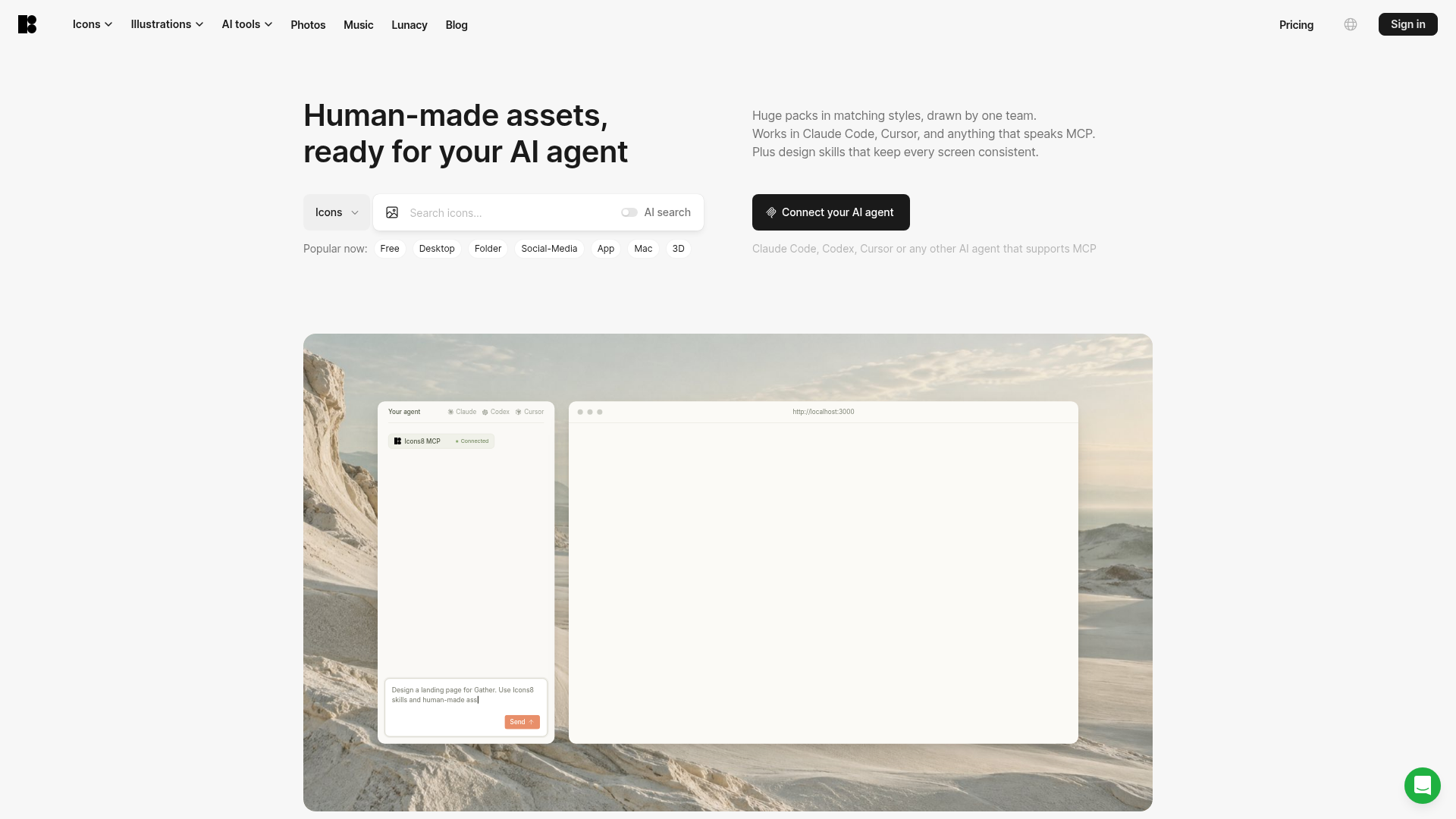
In-house icon and illustration packs that AI coding agents can pull in over MCP
Icons8 is betting that the ugliest part of agent-built interfaces is the mismatched icon set, and it pipes its own hand-drawn packs straight into Claude Code and Cursor to fix it.
The verdict
Icons8's MCP server lets a coding agent pull icons and illustrations from style families drawn by one in-house team, which targets the patchwork look generated screens usually ship with. The agent route sits behind a paid plan, and a deep catalog only helps if the agent chooses well from it; no one has documented how well it does. Product teams generating UI with agents should trial it on a single screen before standardizing.
- Good for
- Product teams building UI with coding agents; Front-end devs on Claude Code or Cursor; Designers who want one icon style everywhere
- Skip it if
- Hobbyists who need free SVG files; Teams needing advanced prototyping
- Costs
- Paid plans from $6.50/mo; MCP from $24/mo1
What it does
As Icons8 describes it.2
- MCP server for agents
- Feeds icons and illustrations to Claude Code, Codex, Cursor or any MCP-speaking agent during generation.
- Matching style packs
- Each family is drawn by the same team, and the deepest packs go past 13,000 icons according to the Icons8 homepage.
- Agent design skills
- A skills layer the agent applies while building pages, aimed at keeping every screen visually consistent.
- Animated and 3D assets
- Animated icons, 3D Fluency icons and 3D models sit alongside the flat sets.
- AI generators and editors
- Credit-based icon and illustration generation, plus upscaling and background removal tools.
- Figma plugin and Lunacy
- Assets drop into Figma through a plugin or into Icons8's own Lunacy design app.
- Developer API
- Programmatic access to the asset catalog for teams building their own pipelines.
Ways to put it to work
One-screen bake-off · for the product designer
Run the same landing-page prompt twice in your agent, once with Icons8 MCP connected and once without, then lay the two results next to each other.
You get: A visual answer on whether the subscription earns its place before anyone standardizes on it.
House style lock · for the front-end developer
Name a single style family, such as iOS or 3D Fluency, in your agent's project instructions so every generated component draws from that pack.
You get: New screens match old ones without a manual icon-swap pass.
Allowance check before a big build · for the team lead
Count the icons and illustrations a release needs; if the total clears the AI and graphics allowance, price overage downloads against the Unlimited tier first.
You get: No surprise bill mid-sprint.
What it costs
| Plan | Price | Includes |
|---|---|---|
| Only AI tools | $6.50/mo | 10k AI credits (~50 generated icons); AI-generated images only, no hand-drawn graphics |
| AI and graphicsOur pick | $24/mo | 100k AI credits (~500 generated icons); 100 icons + MCP, 25 illustrations, 50 photos, 15 3D models; extra downloads available |
| Unlimited | $199/mo | 1M AI credits (~5,000 generated icons); all graphics unlimited |
| Enterprise | Custom | Instant access for all company-email users, on-demand design, priority support |
Prices from icons8.com on 20 November 2026.1
Our take: The AI and graphics tier is the one to weigh: it is the cheapest door to the agent workflow and fair for a single product, but its monthly allowance gets tight for agencies juggling several clients.
What people say
Long-time paying users praise the library and support, critics focus on billing and free-tier limits, and the MCP server and Hub have drawn no substantive public reviews yet.
A paying customer said they had nothing but great things to say, citing icon quality, how easy it was to find matching assets and a pleasant support experience.
A designer found some illustration styles excellent while others felt technically competent but soulless, like stock art.
Where it falls short
- Hub is described as open source, but the Icons8 homepage links no repository or documentation for it.
- A SoftwareAdvice review notes few illustrations per style, which limits how far one illustration family stretches across a product.
- Overage download rates live in a separate section of the pricing page and were not shown, so the cost of a heavy month is unclear.
- Reddit users have reported occasional broken icons in Sketch, though commenters blamed app versions or export settings.
Your first hour
- Create an Icons8 account and subscribe to the AI and graphics plan or higher, which include MCP.
- Open the MCP page in your Icons8 profile and connect it to Claude Code, Codex, Cursor or another MCP client.
- Prompt the agent to build a screen using Icons8 assets and design skills.
- Review the icons and illustrations it added and keep track of your monthly download allowance.
If it isn't the fit
Questions
- Can I use Icons8 for free?
- Product Hunt reviewers describe a free tier that feels limiting, and a SoftwareAdvice review summary says free users cannot download SVG and other formats. The agent hookup is part of a paid subscription.
- Does the cheapest plan include the hand-drawn icon packs?
- It does not. The $6.50 tier on Icons8's pricing page covers AI generation and editing tools only, so the in-house drawn packs begin at the next plan up.
The call
Wire it into one agent-built page and judge the icon choices with your own eyes; move to the bigger plan only when your monthly asset count forces it.
How we scored it
Four scores out of 10, weighted and added. The weights are the same for every tool.
Capability7.5 × 35% = 2.625
Matching style packs, agent design skills, animated and 3D assets, AI generators and a developer API make this one of the broader asset stacks a design team can point an agent at. What it does
Ease of use7.0 × 20% = 1.40
Connecting is a profile-page MCP hookup plus a prompt, though you must subscribe first and no setup time is stated. Your first hour
Value6.0 × 25% = 1.50
The agent-ready tier caps hand-drawn downloads at modest monthly counts, and the jump to all-you-can-use graphics is steep. What it costs
Momentum5.5 × 20% = 1.10
Product Hunt lists an MCP update for Icons8, but there is no dated release count, star count or funding figure to show traction, so momentum holds at a middling level.7
Koda score6.6
The parts add to 6.625, rounded half up to one decimal.
Sources
- 1Pricing page · icons8.com, read 20 November 2026: pricesReported
- 2Icons8 · icons8.com, read 20 November 2026: capabilitiesReported
- 3Reddit r/web_design · reddit.com, read 20 November 2026: the reviewer paraphrased under What people sayReported
- 4listofinformation.com · read 20 November 2026: the reviewer paraphrased under What people sayReported
- 5IconScout · iconscout.com, read 20 November 2026: what it isReported
- 6Flaticon · flaticon.com, read 20 November 2026: what it isReported
- 7producthunt.com · read 20 November 2026: momentum evidenceReported
Also read, not quoted: appvizer.es, es.trustpilot.com.
How this review was made
We read 2 pages of icons8.com, ran 3 searches and read 9 community posts. Prices were captured on 20 November 2026. Prices and product claims are reported as their source published them. The four scores are the Koda Lab's judgement; the total is our math.
How we scoreCorrectionsLAB REPORT 286